Here’s the whole article in one sentence: multi-factor authentication is the closest thing cybersecurity has to a free lunch — it costs almost nothing, takes minutes to set up, and blocks more than 99% of the automated attacks trying to break into your accounts. If your business hasn’t turned it on everywhere yet, that’s the single most valuable hour of security work you can do this month. Let’s talk about why it works so well, where to use it, and how to roll it out without a mutiny.
What MFA actually is (without the jargon)
Every login is really an argument about identity. The system asks “are you who you say you are?” and you answer by providing proof. For decades, that proof was a single thing: a password. The problem is that passwords are a terrible form of proof. They get reused across sites, guessed, phished, leaked in breaches, and bought in bulk on the dark web. A password is something you know, and anything you know, someone else can learn.
Multi-factor authentication fixes this by demanding a second, different kind of proof. Security people sort proof into three categories:
- Something you know — a password or PIN.
- Something you have — your phone, an authenticator app, or a physical security key.
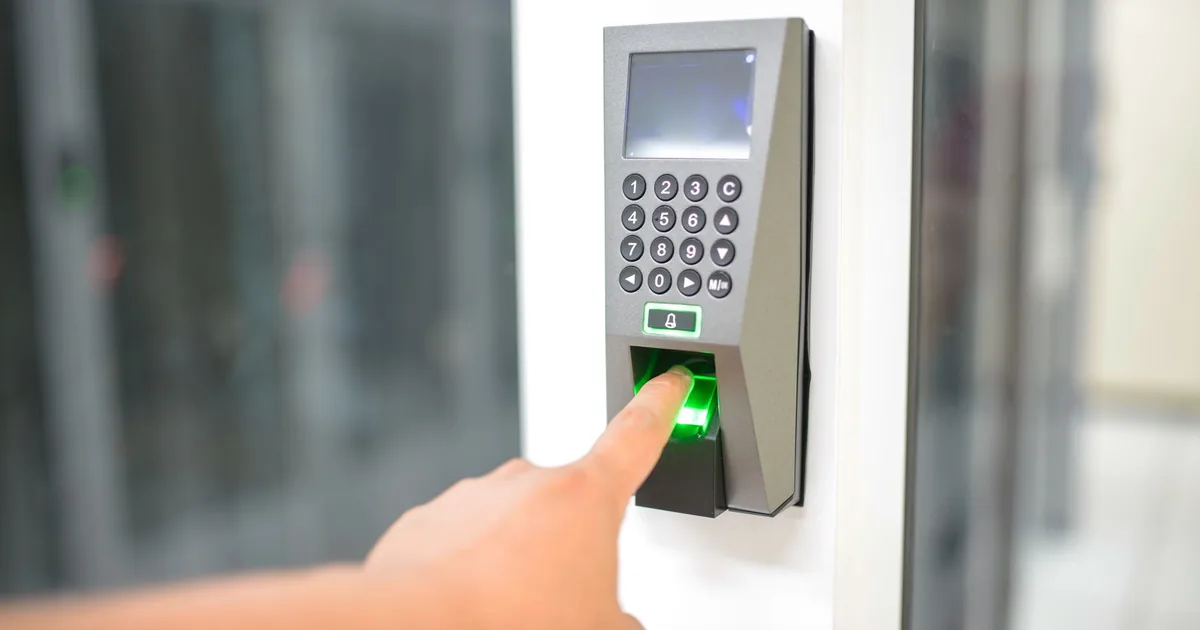
- Something you are — a fingerprint or face scan.
MFA simply means you have to provide proof from at least two of these categories. So after you type your password (something you know), you also tap “approve” on your phone (something you have). The beauty of this is that an attacker on the other side of the world might steal your password, but they don’t have your phone sitting in your pocket. The stolen password, on its own, becomes useless.
That’s the entire concept. It’s not complicated, and that simplicity is exactly why it’s so powerful.
Why a password alone is a single point of failure
Think about what protects your business email right now. If the answer is “a password,” then your entire digital identity hangs on one string of characters — and that string is more exposed than most people realize. It might be reused on a dozen other websites, one of which has already been breached. It might be short enough to guess. It might have been typed into a convincing fake login page during a phishing attack. It might be sitting in a database of billions of leaked credentials that anyone can download.
Attackers know this, so they’ve industrialized the process. They run automated tools that take huge lists of leaked username-and-password pairs and try them against thousands of services, betting that people reuse credentials. This is called credential stuffing, and it works distressingly often. They also run password-spraying attacks, trying a few common passwords against many accounts at once to stay under the radar. None of this requires skill — it’s just volume and patience, run by software while the criminal sleeps.
Here’s the part that should make every business owner sit up: when MFA is on, all of that effort hits a wall. The attacker can have the perfect password and still be locked out, because they can’t produce the second factor. You’ve turned a single point of failure into a two-lock door, and they only picked one lock.
The numbers that make the case
Security advice is often vague, so let’s be specific. Microsoft, which sees an enormous slice of the world’s login attempts, has reported that MFA blocks more than 99% of automated account compromise attacks. The Cybersecurity and Infrastructure Security Agency (CISA) lists enabling MFA among its most important recommendations for organizations of every size — you can read their guidance directly at CISA’s MFA resources. When a government security agency and the largest enterprise software vendor on earth both point at the same control and say “do this first,” it’s worth listening.
Put it in business terms. The most common ways small businesses lose money to cybercrime — business email compromise, fraudulent wire transfers, ransomware that started with a stolen login — overwhelmingly begin with a compromised account. MFA is the control that breaks that chain at the very first link, before the attacker ever gets inside. Few security investments offer that kind of return for that little cost.
Not all MFA is created equal
“Turn on MFA” is good advice, but the type of second factor matters. Here’s the honest ranking, from most to least secure.
| MFA method | Security level | The trade-off |
|---|---|---|
| Physical security key (FIDO2) | Strongest | Costs a little, can be lost — but nearly phishing-proof |
| Authenticator app (push or code) | Strong | Free, easy, needs a smartphone |
| App with number matching | Strong | Stops “MFA fatigue” approval spam |
| Email or SMS code | Basic | Better than nothing, but interceptable |
| No MFA | None | A single stolen password ends the game |
For most small businesses, an authenticator app like Microsoft Authenticator, Google Authenticator, or Authy hits the sweet spot: it’s free, it works on the phone everyone already carries, and it’s dramatically more secure than text messages. For your highest-risk accounts — domain admins, finance, executives — consider stepping up to physical security keys, which are the gold standard because they’re essentially immune to phishing.
A quick warning about the weakest link. Text-message codes can be stolen through “SIM swapping,” where an attacker convinces your mobile carrier to transfer your number to their device. It’s not common, but it happens, and it tends to target exactly the high-value accounts you most want to protect. So use SMS if it’s the only option your team will accept, but don’t stop there for the accounts that matter.
The attack MFA can’t fully stop — and how to handle it
We promised honesty, so here it is: MFA is not a force field. A newer breed of phishing attack uses fake login pages that sit in the middle, relaying your password and your second factor to the real site in real time, then stealing the resulting session. It’s called an adversary-in-the-middle attack, and it can defeat app-based and SMS-based MFA.
This isn’t a reason to skip MFA — it stops virtually every automated attack, which is the vast majority of what you’ll face. But it’s a reason to layer your defenses. Two things blunt these advanced attacks almost entirely: phishing-resistant MFA (those physical security keys, which won’t authenticate to a fake domain) and conditional access policies that only allow logins from known devices or locations. For most small businesses, plain MFA everywhere plus security keys on the crown-jewel accounts is a genuinely strong posture. The point is to make yourself a harder target than the next business over — and MFA does exactly that.
Where to turn it on, in priority order
If you do nothing else after reading this, work down this list. The order matters because some accounts are master keys that unlock everything else.
- Email accounts — admin first. Your inbox is the master key. Anyone who controls it can reset passwords on nearly every other service you use. Start here, and prioritize administrator accounts.
- Microsoft 365 / Google Workspace. Your central identity platform. Protecting it protects the dozens of apps connected to it.
- Remote access and VPN. Any door into your network from the outside is a door attackers actively hunt for.
- Banking, payroll, and finance. Where the money actually lives. The direct target of wire-fraud schemes.
- Systems holding customer data. Your CRM, practice management software, or anything covered by privacy or compliance rules.
- Everything else. Once the critical accounts are locked down, work outward to the rest.
Notice the logic: you’re protecting the keys that unlock other keys before you worry about the small stuff. An attacker who can’t get into your email can’t easily pivot to anything else.
Rolling out MFA without a revolt
The technology is the easy part. The hard part is people, and a clumsy rollout creates resentment that undermines the whole effort. A few principles keep it smooth:
- Explain the why, briefly. People accept friction when they understand the stakes. A two-minute “here’s how one stolen password could shut us down” goes a long way.
- Start with willing groups. Roll out to IT and leadership first, work out the kinks, then expand. Early success stories make the rest of the company comfortable.
- Use “remember this device.” Modern MFA doesn’t prompt every single login — it trusts known devices for a set period, so daily friction is minimal.
- Have a recovery plan. Decide in advance what happens when someone loses or replaces their phone. Backup codes and a clear reset process prevent lockout panic.
- Make it mandatory, with a deadline. Optional security is ignored security. Set a firm date, support people up to it, then enforce it. For a project record of that sequence, see our Microsoft 365 MFA rollout case study.
Done this way, the grumbling lasts about a week and then it simply becomes how everyone logs in. We’ve watched skeptical teams go from eye-rolling to not noticing it at all, and not one of them has ever asked to turn it back off.
A tale of two businesses
Picture two similar companies, each with an employee whose email password leaks in an unrelated website breach — a completely ordinary event that happens constantly. At the first company, there’s no MFA. An attacker takes the leaked password, logs straight into the employee’s email, sits quietly reading for two weeks, learns how the company handles invoices, then emails the bookkeeper a perfectly worded request to update a vendor’s bank details. The payment goes out. The money is gone before anyone notices, and the cleanup — fraud reports, a breach investigation, anxious customers — drags on for months.
At the second company, the exact same password leaks. The attacker tries it, gets past the password screen, and is immediately stopped cold by a prompt asking for a code from a phone they don’t have. They move on to an easier target. The employee never even knows it happened. Same vulnerability, wildly different outcomes — and the only difference was one setting that took five minutes to enable.
That contrast is the entire argument for MFA. The leak was identical and unavoidable. What changed everything was whether a second lock stood between a stolen password and the business behind it.
How this fits into a real security plan
MFA is the highest-leverage single control you can deploy, but it’s one layer in a larger strategy. It pairs naturally with employee security awareness training so your team can spot the phishing that tries to trick them into approving a login, with a sane approach to phishing and email security, and with the broader protections of managed cybersecurity services. Think of MFA as the deadbolt — essential, but most effective as part of a house that also has good locks on the windows.
For businesses that would rather not manage all of this themselves, that’s exactly what a managed security provider handles: rolling out MFA cleanly across every account, choosing the right factor for each risk level, setting up conditional access, and making sure no critical system slips through the cracks. A brokerage-shaped project record is Conditional Access without locking agents out.
The bottom line
Multi-factor authentication is rare in security because it’s both cheap and devastatingly effective. It turns a stolen password — the most common way businesses get breached — into a dead end. It takes minutes to enable, costs little to nothing, and stops the overwhelming majority of the attacks aimed at you every day.
If you’re not sure whether MFA is turned on everywhere it should be, or whether your most sensitive accounts are using strong enough factors, we can help you find out. Get a free security review and we’ll map out exactly where you’re protected, where you’re exposed, and what to lock down first — in plain English, with no scare tactics.
Frequently Asked Questions