Network security
A Two-Week Business Firewall Cleanup
New hardware does not retire old rules. We listed every allow, killed the leftovers, and tested staff and student paths before Monday.

- IndustryPrivate school
- WhereSF Valley
- Timeline2 weeks
- EngagementFirewall cleanup
Meet the client
A school whose firewall still trusted everything
School name, staff names, and internal hostnames are withheld at the client's request. The engagement type, method, and constraints are real.
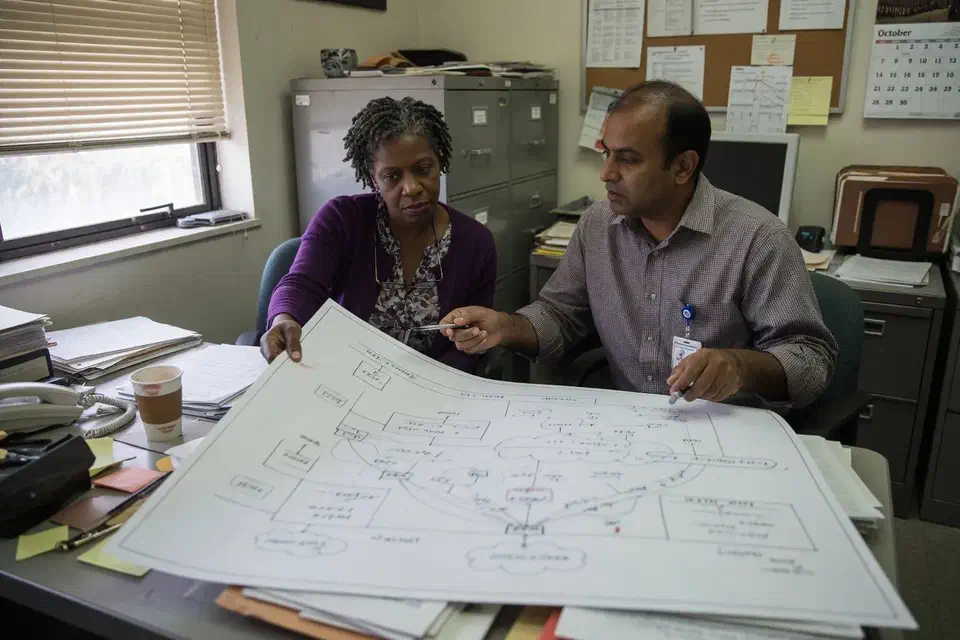
An independent San Fernando Valley school asked Secure Techies to clean a business firewall after an insurance questionnaire asked how the office network was separated from student devices. The hardware was current. The rule base was not. We inventoried allows, removed unused VPN profiles, split staff and student paths, and tested on a weekend before classes returned.
Primary goals
What success had to look like
Know every allow
A next-generation box with unexplained any-any leftovers is still a flat trust model.
Split staff and student
Student devices needed the internet. They did not need the office file server or the copier.
Change on a weekend
Monday morning classes were not a change window. We tested print and a staff sign-in before we left.
The challenge
The hardware was new. The rules were folklore.
The school was not starting from zero. A next-generation firewall sat in the closet. What they lacked was a current, honest list of what that box still allowed.
- 01
Any-any leftovers from the last vendor
Someone had opened a wide allow so a copier could scan. The copier moved. The rule stayed.
- 02
Unused VPN profiles
Remote teachers had a leftover SSL VPN from 2021. Nobody could name who still had the password.
- 03
Student and staff shared a path
The SSIDs had different names. The subnet did not. A student device could see office printers.
- 04
The questionnaire had started asking
Insurance wanted segmentation language. The head of school needed an honest answer, not a logo on the rack.
How we worked
Export the rules, then change them on purpose
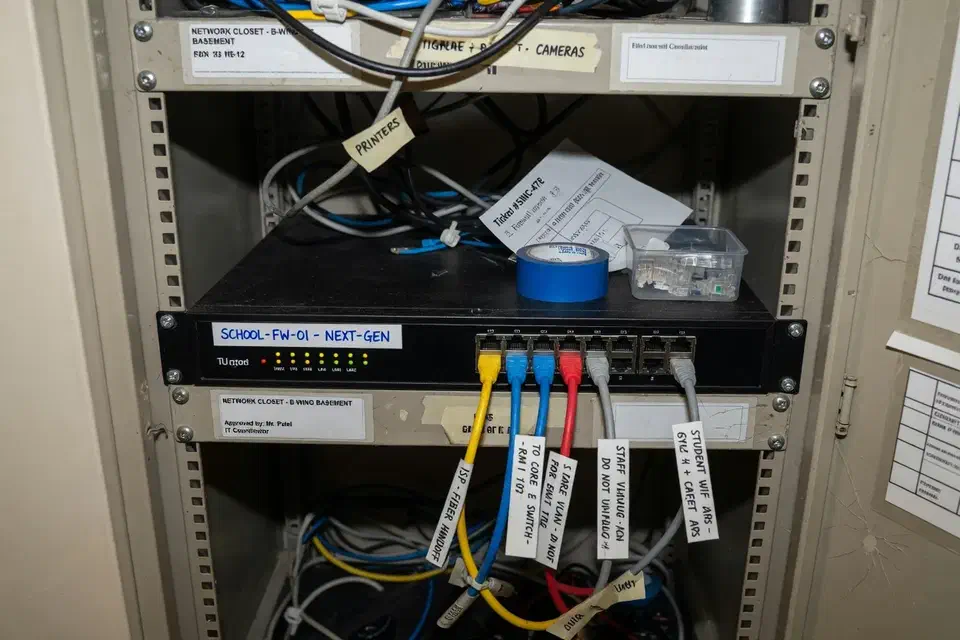
We treated this as a cleanup, not a forklift. Scope was written down before any production rule moved.
- 01
Export and name every allow
Rule dump, VPN profiles, DHCP, and who still had admin. Out of scope: replacing every access point if they could take a VLAN.
- 02
Design staff vs student
Office VLAN for staff and printers. Student path to the internet only. Guest if they still needed a parent waiting-room SSID.
- 03
Change on a weekend window
Kill unused VPN. Tighten allows. Keep the staff SSID name so Monday was not a Wi-Fi help desk.
- 04
Test, then write
Staff print. Student cannot reach the office subnet. Document who owns the firewall admin.
What we examined
Five checks, one weekend window
The firewall was the headline. The workstreams were how we knew Monday still printed.
Rule inventory
Every allow, every any-any leftover, every comment that said 'temp'.
VPN leftovers
Unused profiles, shared passwords, who could still dial in.
Staff vs student path
VLAN or equivalent. Student to internet. Not to the office file share.
Admin hygiene
Named firewall admin, MFA, no leftover vendor account.
Weekend test
Print, staff sign-in, student isolation, a rollback note if we broke SIS.
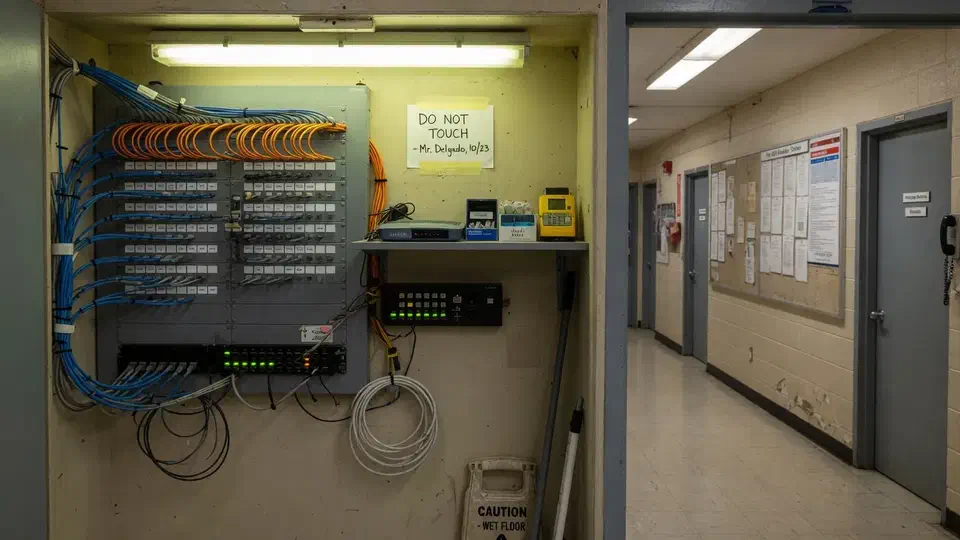
The box was competent. The any-any leftover was the design.
The firewall was a current next-generation box. A student laptop on the guest-looking SSID could still see an office printer. The insurance form asked how the networks were separated. The honest answer was “by name.”
That is the usual starting point for a business firewall cleanup. An independent education school in the San Fernando Valley called Secure Techies after a questionnaire outran the last vendor’s rack photo. They had hardware. They did not have a rule base anyone would sign.
This case study records the export, the leftover VPN, the weekend change, and the test before Monday. School identifiers stay out. The method does not.
Why they called
A school is two businesses sharing a building: staff who hold student records, and student devices that should not. CIS puts the design work under Network Infrastructure Management: know the gear, configure it on purpose. A friendly SSID is a label. The subnet is the design.
NIST’s SP 800-41 is the old firewall paper and it is still right: default deny, named allows, logging. The school’s box could do that. The rule dump showed it was not doing that.
Two facts set the calendar:
- Monday classes were not a change window.
- The insurance questions were not going to get easier.
We had no leftover diagram that matched the rack. We exported the rules. A screenshot of a blinking box is not a network design. The dump is.
The office manager already knew those student devices should not see those payroll files at all. The process did not. We wrote the non-goals down so nobody would later read a weekend VLAN as a CIPA project.
What this engagement was, and was not
Secure Techies sells network security as design, firewall, and wireless you can test. We do not issue CIPA attestations. We do not replace the student information system.
We wrote that limit into the statement of work. The head of school wanted an honest paragraph for insurance and a Monday that still printed.
Out of scope on purpose:
- A CIPA or COPPA seal
- Replacing every access point if they could take a VLAN
- A full wireless forklift
- Pretending student filtering is the same job as office isolation
In scope:
- Rule export and named allows
- Unused VPN retirement
- Staff vs student path
- Named firewall admin
- A weekend test we would write down
CISA’s guidance on securing enterprise wireless is written for offices. The idea still holds on a campus: visitor and student paths should not be the staff LAN.
How we cleaned the business firewall
Week 1: the rule dump
We exported every allow. Policy, objects, NAT, VPN, and who could still log into the box. We sat with the office manager and asked what each rule was for. “Temp” and “copier” showed up more than once. The copier had moved. The any-any had not.
We did not start with a Visio. The dump is the design until you prove otherwise. Interface labels on the firewall still said LAN. The switch behind it already had VLANs the prior vendor never mapped into policy. That is why two SSIDs still landed in one DHCP pool: wireless names were cosmetic.
Unused SSL VPN profiles still answered. A shared password from a prior vendor still worked. That is not remote access. That is an account you forgot to offboard.
Student and staff SSIDs had different names. DHCP was still one pool. A join test from a student-style laptop we brought reached an office printer. We did not use a student’s device. We did not need to. Nobody argued with a screenshot from their own hallway.
Management of the box itself still answered on an address a student-style join could route toward. We moved admin to a staff-only address and killed HTTP on the WAN before the weekend change. A current appliance with a public admin page is still a leftover.
Weekend: the change
The change window started after the last after-school program, not at 3 p.m. when teachers still needed the copier. We put a named rollback on paper before we hit commit: which policy to re-enable, who had the console cable, who called the SIS vendor if login failed.
We did not forklift the firewall. It could VLAN. We created a staff path and a student path. Student to internet, deny to the office subnet. Staff kept printers. NAT for student internet stayed on the student zone so a broken NAT did not take the office with it.
VPN leftovers died. Remaining remote access, if any, required MFA and a named person. The prior vendor account on the firewall was disabled the same window.
SSID names stayed. Changing the staff name on Sunday is how you spend Monday explaining Wi-Fi instead of teaching.
We tested in this order: SIS from a staff machine, print from the office, then a student-style join on the student SSID. DHCP on the student VLAN handed a different subnet. Ping to the office printer timed out. That screenshot went in the packet. Then we wrote the rollback: which rule to re-enable if SIS broke at 7 a.m. It did not.
What the rule dump actually showed
Any-any was the copier myth. Scan-to-email had been “fixed” with a wide allow years earlier. The copier was on a new address. The allow still said any. That is how a student device sees a printer.
VPN was a shared secret. Two leftover profiles. One password. No MFA. A prior vendor account could still authenticate to the box. Offboarding the human had not offboarded the firewall.
DHCP lied about isolation. Two SSIDs, one pool. CISA’s wireless note is about not putting organizational information on a visitor path. A school has the same geometry with student devices.
Admin was a group hobby. Three people had the firewall password. None had MFA. We left two named admins and MFA. CIS Control work on network devices is pointless if the admin password is the school mascot.
We pointed the office at network vulnerability assessment for the scan-vs-judgment idea, and at the small-business cybersecurity checklist for the hygiene that should sit under any later tool purchase. CISA Cybersecurity Performance Goals put known assets and controlled access next to each other for a reason.
What the first deny rule broke
Honesty shows up in the first hour.
A classroom display that had been on the staff path for “convenience” lost the shared drive. It belonged on instructional VLAN or it needed a specific allow. We did not punch a hole back to the whole office so a TV could see files.
A teacher laptop that used student Wi-Fi because the password was on a board lost office printing. We moved it to staff and took the board down in the office. Student passwords still should not be a mural in the front office. That is a different sentence than CIPA.
The SIS still loaded. That was the leave-behind. We do not change a school firewall and walk out before the student system answers.
Bandwidth caps are not security. We set one on the student path anyway. One classroom of video should not stall office mail. Inbound from the internet to student IPs stayed off.
We did not put a captive portal on this campus. The school did not want an email harvest at the curb. Isolation plus a rotated staff passphrase was the control. A portal is a later conversation if they want logs of who joined.
Logging went on for a week after deny so we could see what we broke. We also watched deny logs for an hour after commit, not the next morning. A camera DVR on the staff switch that had been using student Wi-Fi because “the guest password is easier” showed up immediately. We moved it. We did not open the student VLAN to the DVR subnet to make the picture come back. Usually the surprise is a camera or a display. It is cheaper to find that on Sunday than in first period.
What we told the insurer
The questionnaire wanted a paragraph. We gave facts:
- Staff and student traffic sit on different paths
- A deny stops student from the office subnet
- Unused VPN profiles are gone
- Firewall admin is named and MFA-gated
- We tested on a weekend before classes
We did not let anyone write “we are fully segmented and compliant” in that box. Isolation is a control. Compliance is an assessor’s sentence.
NIST CSF is a vocabulary, not a license. We used Protect and Identify in plain English: what talks to what, who can change it.
The FTC small-business cybersecurity pages say the same thing in owner language: lock down the network you actually run.
What the packet contained
- Before/after rule notes. What a student-style device could reach, what it could not after.
- One-page design. VLANs or equivalent, who owns firewall admin, rotation for the staff passphrase.
- VPN list. What died, what remains, MFA on the remainder.
- Monday runbook. If SIS dies at 7 a.m., who to call, what not to “fix” by re-enabling any-any.
We pointed the school at guest Wi-Fi security for the same isolation idea in office language, and at network security for the parent service. For a dining-room version of the join test, see guest Wi-Fi that stopped at the register.
What we verified before Monday
A VLAN with no second join test is still a story.
| Gate | What “done” meant here |
|---|---|
| Rule dump | Every allow named or marked leftover |
| Any-any | Removed or replaced with a specific copier/staff allow |
| VPN | Unused profiles gone. Remainder MFA-gated |
| Student path | Cannot reach office subnet from a test device |
| Staff path | Print and a staff sign-in still work |
| Admin | Named person, leftover vendor disabled |
What they had that they did not have on day one:
- A rule base the office manager could see
- Student devices off the office subnet
- Unused VPN gone
- A weekend test with a time and a name
What they still did not have, and should not claim:
- A CIPA letter
- A new wireless system
- A guarantee a student never shares a staff password
Lessons we would repeat
Export before you redesign. The last vendor’s story and the rule dump are often different people.
Keep the staff SSID name. Changing it on Sunday is a Monday outage with a security label.
Do not park copiers on any-any. You will either break scanning or break the design.
Retire unused VPN. It is leftover access, not a comfort blanket.
Print before you leave. A firewall that breaks SIS is not a successful security project.
Write the deny where the next person can see it. If the only proof is a vendor checkbox, the next manager will open any-any to fix a TV.
Planning your own business firewall cleanup
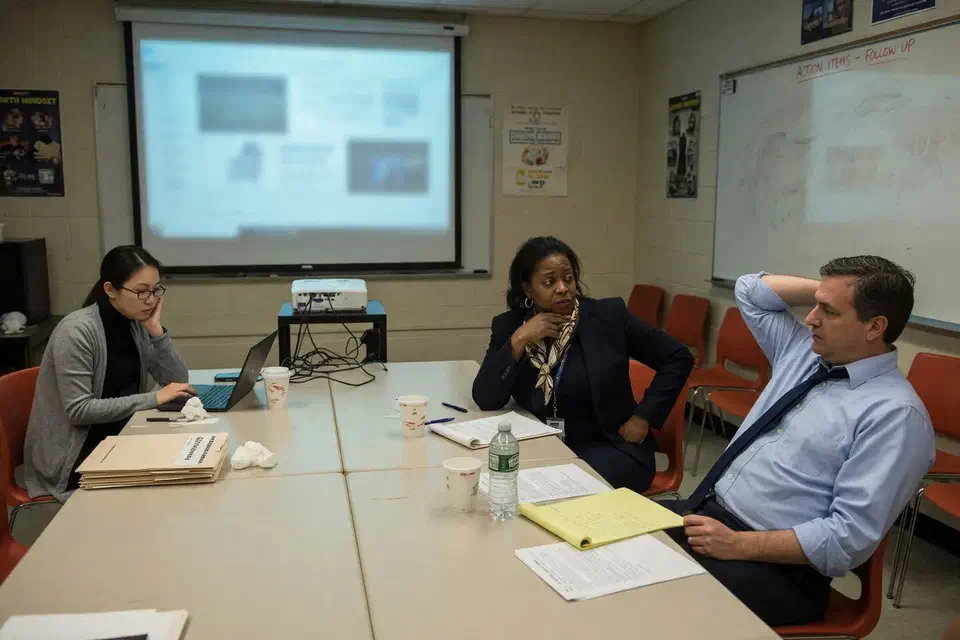
If an insurer, an auditor, or your own gut is asking whether a student or visitor device can see an office printer, start with a join test and a rule export. Bring firewall admin and whoever owns the student information system. We will tell you what belongs in a two-week window and what belongs in a later wireless forklift.
Secure Techies works from Canoga Park with schools and offices across Los Angeles and Southern California. Schedule a consultation if you want the same kind of weekend-tested cleanup this school left with.
For a different project record, see Microsoft 365 MFA without locking out the board. Identity and the closet are separate jobs. Education context lives on our education IT page.
The outcome
The box finally matched the story
- Any-any leftover removed. Copier got a specific allow or it moved to staff VLAN
- Unused VPN profiles retired. Remaining remote access named and MFA-gated
- Student path could not reach the office subnet in the weekend test
- Staff printing still worked before we left
- Firewall admin named, leftover vendor account disabled
- A one-page rule map the next engineer could read
- Clear statement of what this was not: not a new wireless system, not a CIPA seal
Technologies and frameworks
More projects
Other case studies
 Wiping Jobsite Devices the Day a Crew Left
 Microsoft 365 Backup When Retention Was Not Enough
Questions
Frequently asked questions
What is a business firewall cleanup?
Do we have to replace the firewall?
Will this take classes down?
Should student Wi-Fi see office printers?
What about unused VPN profiles?
Are you saying the school is now CIPA compliant?
Need a firewall whose rules you can actually explain?
Secure Techies cleans business firewalls for Southern California offices and schools that have good hardware and leftover allows. Start with a conversation in Canoga Park.