Backup and Microsoft 365
Microsoft 365 Backup When Retention Was Not Enough
A three-week Microsoft 365 backup project for a Sherman Oaks firm that had retention, a recycle bin, and no restore it could actually run.
- IndustryLaw firm
- WhereSherman Oaks
- Timeline3 weeks
- EngagementM365 backup
Meet the client
A firm that confused hold with undo
Firm name, matter names, staff names, and tenant hostnames are withheld at the client's request. The engagement type, method, and constraints are real.
A small law firm in Sherman Oaks asked Secure Techies for Microsoft 365 backup after an associate emptied a SharePoint matter library and learned that retention and the recycle bin were not a restore. We scoped mailboxes, shared mailboxes, OneDrive, and SharePoint, split backup admin from daily Global Admin, and restored a test library to a non-production location. This was not a ransomware recovery and not a continuity certification.
Primary goals
What the firm asked us to produce
A copy they control
They needed a restore path that did not depend on the same Global Admin remaining uncompromised, and did not expire with the recycle bin.
Proof, not a green job
A backup job that completes is not a restore. They wanted one library put back in a test place, timed, and written down.
Scope that matches the practice
Mail, shared mail, OneDrive, and the SharePoint sites that hold work. Teams chat was a later decision, not day one.
The challenge
They had hold. They did not have undo.
The firm was not starting from zero. Microsoft 365 was the practice. Litigation hold existed on several mailboxes. SharePoint versioning was on. What they lacked was a separate, tested copy they could restore after a bad delete.
- 01
A matter library disappeared into policy
An associate cleaned a SharePoint library they thought was a personal scratch pad. It was the working set for an active matter. Recycle-bin windows had already closed for some of it.
- 02
Retention kept pieces, not a library
Hold and retention found items. They did not reconstruct the site the way the team worked. Counsel needed a folder tree, not an eDiscovery export.
- 03
Backup admin was the same Global Admin
Whoever could delete a site could also change retention. That is not isolation. It is the same key on two doors.
- 04
Nobody owned a restore test
The prior vendor said Microsoft backed it up. Jobs, if they existed, had never been restored to a test location.
How we worked
Three weeks: inventory, isolate, prove
We treated this as Microsoft 365 backup, not a full disaster-recovery program and not a ransomware war room. Scope was written down before the first restore.
- 01
Inventory what must come back
Mailboxes, shared mailboxes, OneDrive, and SharePoint sites that hold work. Out of scope: rebuilding the matter system, and claiming a continuity certification.
- 02
Separate backup administration
Backup admin was split from daily Global Admin so a compromised day-to-day account could not quietly wipe the copy.
- 03
Turn on the copy
We enabled backup for the scoped workloads and confirmed jobs completed. Completing is not proving.
- 04
Restore to a test place
One SharePoint library restored to a non-production location. Timed. Written down. Then a mailbox item restore as a second check.
What we examined
Five workstreams, one restore story
We did not sell five backup products. Each workstream fed the same question: if this disappears on a Friday, how does Monday look.
Exchange and shared mailboxes
User mail plus the shared boxes that intake and accounting actually use. Recoverable Items is not the same as a backup copy.
SharePoint matter libraries
Sites that hold work product, not every abandoned microsite from 2019.
OneDrive
Attorney OneDrive that syncs to laptops. Ransomware that hits the desktop hits the cloud copy if that is the only copy.
Identity around backup
Who can delete a site, who can change retention, who can restore, and whether those are the same person.
Restore runbook
A one-page path: who calls, which workload, restore to a test place first, then cut over. Not a 40-page binder.
The recycle bin had already expired. Retention had pieces. Nobody could put the library back.
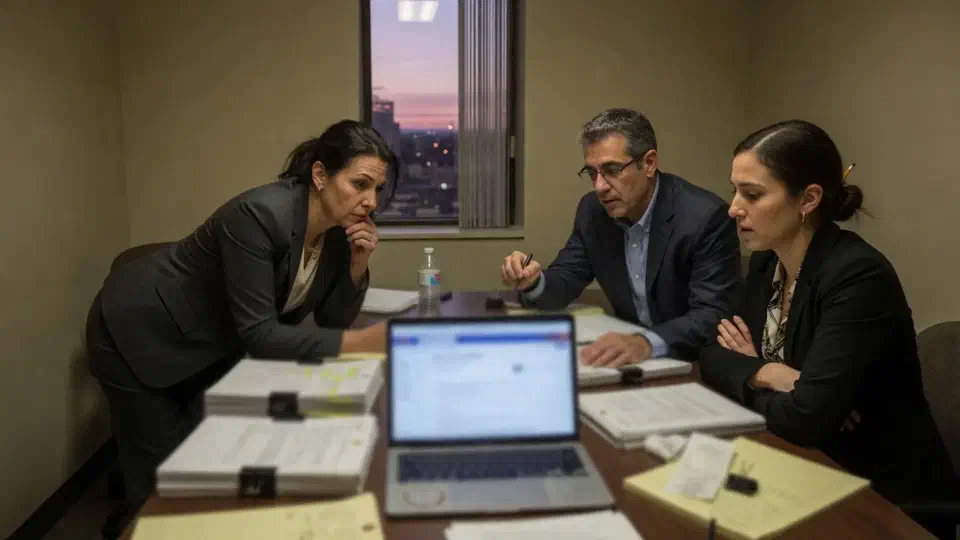
The firm had litigation hold. It had a recycle bin. It did not have Microsoft 365 backup it could restore when a matter library disappeared.
A small law practice in Sherman Oaks called Secure Techies after an associate emptied a SharePoint library they believed was a personal scratch pad. It was the working set for an active matter. Some of it was still in recoverable locations. Some of it was not. Retention found pieces. Nobody could put the folder tree back.
This case study records how we scoped Microsoft 365 backup, split administration, and proved a restore to a test location. Client identifiers stay out. The method does not.
Why the firm called
The practice sits in the same risk class as other law firms we support: Microsoft 365 is the office, matter files live in SharePoint and OneDrive, and billable time does not pause for an eDiscovery export. They had been told, by a prior vendor, that Microsoft backed it up. What they had was uptime plus hold.
Microsoft is explicit that Microsoft 365 Backup is an optional product, documented because recycle bins and eDiscovery exports are not the same job as a fast, large restore. Retention is a different tool. Microsoft explains it in Learn about retention. Hold is for investigations. Backup is for “put the library back.”
Two facts forced the issue:
- The SharePoint recycle-bin window had already closed for part of the library. Microsoft documents how deleted sites and libraries can be restored only while they remain in those bins (restore a deleted site).
- Recoverable Items in Exchange would have helped a mailbox. It would not reconstruct a SharePoint library. Microsoft’s Recoverable Items folder is a mailbox construct, not a matter-file time machine.
The managing partner did not want a lecture. They wanted Monday to look like Friday.
What Microsoft 365 backup is, and is not
Microsoft runs the service. The customer owns the content and most of the configuration. That split is why a healthy tenant can still lose a matter file. We already wrote the hygiene version of this argument in Microsoft 365 backup: why recycle bin is not enough. This page is the project record.
In scope:
- Exchange user mail and shared mailboxes
- OneDrive
- SharePoint sites that hold work
- Identity around who can restore
- One test restore to a non-production location
Out of scope on purpose:
- Rebuilding the matter-management application
- A full ransomware war room
- A continuity certification
- Backing up every abandoned microsite from 2019
CIS Control 3, Data Protection is the public language for “know what you have and recover it.” We did not pretend a small firm had implemented every CIS safeguard. We used the control as a completeness check: inventory, separate copy, restore test.
CISA’s ransomware guide still matters here even though this incident was a delete. Isolated backups and a restore you have practiced are the same muscles. The UK NCSC says the same thing in plainer English for small offices: backing your data.
What this engagement was not
This was not the backup restore test before tax season. That study is a CPA firm proving a mailbox and a returns library on a calendar. This one is a law firm discovering that retention is not undo.
This was not the wire-fraud close call. That study is a lookalike email. This one is a library that vanished without a phish.
We wrote the non-goals into the statement of work so nobody later read a three-week backup standup as a disaster-recovery certificate.
How we ran the three weeks
Week 1: inventory and blame-free reconstruction
We listed every mailbox, shared mailbox, OneDrive, and SharePoint site that the office manager and a partner said they could not rebuild from last week’s email. Microsoft’s own file storage and sharing setup is the map of where files actually live: OneDrive for a person, SharePoint for the team, Teams files in SharePoint. The firm had been treating Teams as a third universe. It is not.
We also reconstructed, as far as logs allowed, what the associate had deleted and what remaining bins still held. We did not pretend we recovered every file. Honesty here is the point. Some objects were gone. That is why backup had to start now, not after the next cleanup.
Week 2: isolate administration and turn on the copy
Daily Global Admin stayed with the people who already ran the tenant. Backup administration was a separate role. If the day-to-day account is phished, it should not also be able to quietly purge the copy. That is the isolation CISA keeps asking for, sized for a small firm.
We enabled backup for the scoped workloads. Jobs completed. Completing is not proving. We said that in the room so nobody celebrated a green tile.
Week 3: restore to a test place
We picked one SharePoint library that was representative and not the open crisis. We restored it to a non-production location. We timed it. We checked the folder tree and permissions. Then we restored a single mailbox item as a second class of proof.
Only after the test restore did we write the runbook. A runbook written before a restore is fiction.
The test restore answered four questions the green job cannot:
- Does the folder tree come back, or only a pile of files.
- Do permissions look like the source, or does everyone inherit the test site.
- How long did it take for a library this size, on this tenant, on this day.
- Who had to click, and could the office manager do it without us.
We wrote the answers in the runbook. We did not invent a minute count for this page. The useful deliverable is that the time was measured, not guessed.
Mailbox restore is a different motion. An item coming back into a test folder is not the same as a library coming back as a site. We ran both so the firm would not assume one proof covered the other.
What we found
We are not going to invent a “restore time improved 47 percent” graphic. The useful story is the mix-up, which is common.
Retention was doing its job. Hold kept items for matters in litigation. That is not a library restore. Counsel cannot work from a search hit list the way they work from a folder tree.
The recycle bin is an undo button. It is measured in days. It does not survive “I emptied this last month.”
OneDrive sync is a blast radius. Attorneys who sync libraries to laptops can encrypt or delete in both directions. A cloud-only copy in the same tenant is still the same copy.
Admin was one person. The same account that could delete a site could change retention. That is convenient. It is not a backup design.
Teams files were SharePoint. Once we said that out loud, the inventory got shorter and more honest.
Some objects from the incident were gone. We said that in the readout. Backup started on the date we turned it on. It is not a time machine for last month. Firms that skip that sentence keep hoping Microsoft will find a deeper bin. Sometimes there is one. This time, for part of the library, there was not. That is the cost of treating hold as undo. It is also the reason the project had a finish line: the next delete should not end in the same meeting.
How we ranked what to back up first
A backup that includes every abandoned site from a merger will take forever and restore into chaos. We kept the first wave to what the firm could not rebuild.
First wave:
- Shared mailboxes for intake and accounting
- Partner and associate mailboxes
- SharePoint sites that hold current matters
- OneDrive for people who actually sync work
Later, if they ask:
- Teams chat (different product decision)
- Archived sites that nobody has opened in two years
- A second restore test on a mailbox PST-sized problem
We pointed them at backup and disaster recovery for closet servers and image files that are not in Microsoft 365, and at cybersecurity for the identity work that sits next to backup. Sherman Oaks context for ongoing support lives on the Sherman Oaks location page.
What the firm received
- Scoped Microsoft 365 backup for mail, shared mail, OneDrive, and in-scope SharePoint.
- Split administration so backup was not the same key as daily Global Admin.
- A timed test restore of a library to a non-production site.
- A mailbox item restore as a second class of proof.
- A one-page runbook the office manager could follow without us on speakerphone.
The office manager walked through the runbook once with us on the call, then once without us. If she could not find the restore action, the runbook failed. We rewrote two sentences. That is the whole quality bar.
What they still did not have, and should not claim:
- Every deleted file from the incident
- A ransomware recovery we did not perform
- A continuity certification
- A substitute for retention and hold
Lessons we would repeat on the next one
Say the sentence in the first meeting: retention is not backup. If you skip it, someone will keep pointing at Purview as if it were undo.
Restore to a test place. Restoring over production because someone is late to court is how you get a second outage.
Inventory Teams as SharePoint. Otherwise you will license the wrong thing and miss the files.
Split the admin. Convenience is how copies die.
Write down what you could not recover. That sentence sells the project more honestly than a product logo.
Planning your own Microsoft 365 backup
If your restore plan is “Microsoft still has it,” ask someone to show you the setting and the last successful restore to a test location. If they cannot, you do not have a plan.
Bring the tenant admin, the office manager, and a list of libraries you cannot rebuild. We will tell you what belongs in Microsoft 365 backup and what belongs in closet-level backup and disaster recovery.
Secure Techies works from Canoga Park with firms across Los Angeles and Southern California. Schedule a consultation if you want the same kind of tested copy this client left with.
For the explainer behind this project, read Microsoft 365 backup: why recycle bin is not enough. For a different restore record, see a backup restore test before tax season.
The outcome
A tested copy, not a longer recycle bin
- Microsoft 365 backup covering mail, shared mail, OneDrive, and in-scope SharePoint
- Backup administration split from daily Global Admin
- One SharePoint library restored to a non-production location and timed
- A mailbox item restore as a second proof, not a slide
- A one-page restore runbook the office manager could follow
- Clear statement of what this was not: not ransomware recovery, not a continuity certification, not a replacement for retention and hold
Technologies and frameworks
Related services
Work that sits next to this project
Backup and disaster recovery
Tested restores for cloud apps and the closet, not only green backup jobs.
IT services for law firms
Confidentiality-first Microsoft 365, matter-system environment, and a help desk that understands billable time.
Cybersecurity
Identity and email controls that sit next to backup, not instead of it.
More projects
Other case studies
 Wiping Jobsite Devices the Day a Crew Left
 Conditional Access Without Locking Agents Out
Questions
Frequently asked questions
Does Microsoft 365 include backup?
Is retention the same as Microsoft 365 backup?
Do you restore into production on the first try?
Was this a ransomware recovery?
What did the firm actually receive?
How long does a Microsoft 365 backup standup take?
Need a Microsoft 365 restore you can actually run?
Secure Techies sets up Microsoft 365 backup for Southern California firms that have been told the recycle bin is enough. Start with a conversation in Canoga Park.