Identity and email
Microsoft 365 MFA Without Locking Out the Board
Security Defaults were off. Shared mailboxes had a password on a sticky note. We enrolled people first, then we enforced.

- IndustryNonprofit
- WhereSF Valley
- Timeline5 weeks
- EngagementMFA rollout
Meet the client
A nonprofit that could not treat MFA as optional anymore
Organization name, staff names, and donor-system details are withheld at the client's request. The engagement type, method, and constraints are real.
A San Fernando Valley nonprofit asked Secure Techies to finish Microsoft 365 MFA after an insurer and a grant questionnaire asked who could sign in with only a password. Some users had Authenticator. Shared finance mailboxes did not. We inventoried accounts, enrolled people in place, put privileged and shared mailboxes on MFA, ran a grace window, then enforced. Nobody got a theater of phishing-resistant keys they were not ready to support.

Primary goals
What success had to look like
Cover the mailboxes that move money
Staff MFA with a hole on the finance shared mailbox is not MFA. Every privileged and payment path had to require a second factor.
Do not lock the board out of email
A Friday enforcement with no enrollment support would have been an outage. Grace first. Help desk live. Then enforce.
Leave a method staff can repeat
New hires, volunteers, and the next board member needed a written enrollment path, not a hallway explanation.
The challenge
MFA was a rumor with a few green checkmarks
The tenant was not starting from zero. Microsoft 365 was daily work. Some people already used Authenticator. What they lacked was coverage on the accounts that actually mattered.
- 01
Shared mailboxes sat outside MFA
Finance and development used shared inboxes for donors and wires. The password lived with two people. That is not a process.
- 02
Security Defaults were off
A prior vendor had turned them off so a legacy mail app would keep working. The app was gone. The exception stayed.
- 03
The board would not sit through a lab
Enrollment had to work from a kitchen table and a phone. A two-hour office session was not a plan.
- 04
SMS was being treated as done
A few people used text codes. CISA ranks that below an authenticator app. We said so before we promised phishing-resistant hardware they were not staffed to lose.

How we worked
Inventory, enroll, grace, then enforce
We treated this as a rollout, not a toggle. Scope was written down before anyone flipped a policy.
- 01
Count who can sign in
Users, guests, shared mailboxes, and leftover Global Admins. Out of scope: FIDO keys for every volunteer on day one.
- 02
Enroll in place
Authenticator for staff and the board. Break-glass account in a vault, not in email. Help desk on the phone for the first wave.
- 03
Cover shared and privileged mail
Finance and development boxes got owners and MFA. Privileged roles required MFA before we talked about Conditional Access.
- 04
Grace, then enforce
Report what would break. Fix the leftovers. Then require MFA for the tenant. Write the next-hire steps next to offboarding.
What we examined
Five workstreams, one sign-in policy
MFA is not a single switch. Each workstream fed the same outcome: a stolen password was not enough.
Account inventory
Members, staff, guests, shared mailboxes, and who actually held Global Admin.
Authenticator enrollment
Microsoft Authenticator as the default. SMS only as a short exception with an owner and a review date.
Shared and privileged mail
Finance and development inboxes. MFA on every role that could change a payee or a tenant setting.
Legacy and exceptions
Old mail apps, printer scan-to-email, and the one grant portal that still wanted basic auth.
Enforcement and runbook
Grace window, then require MFA. New-hire and board-onboarding steps in writing.
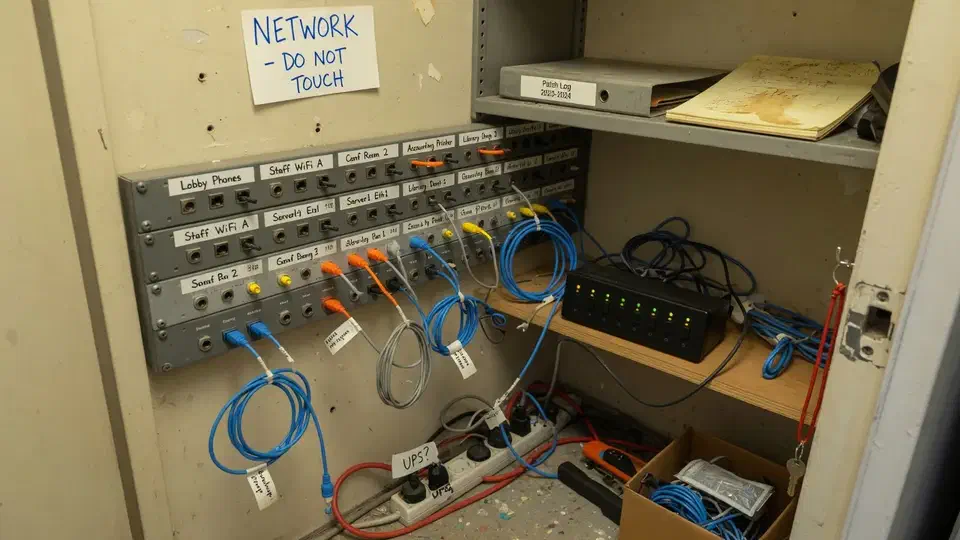
The board mailbox was the real perimeter. MFA on staff laptops was not enough.
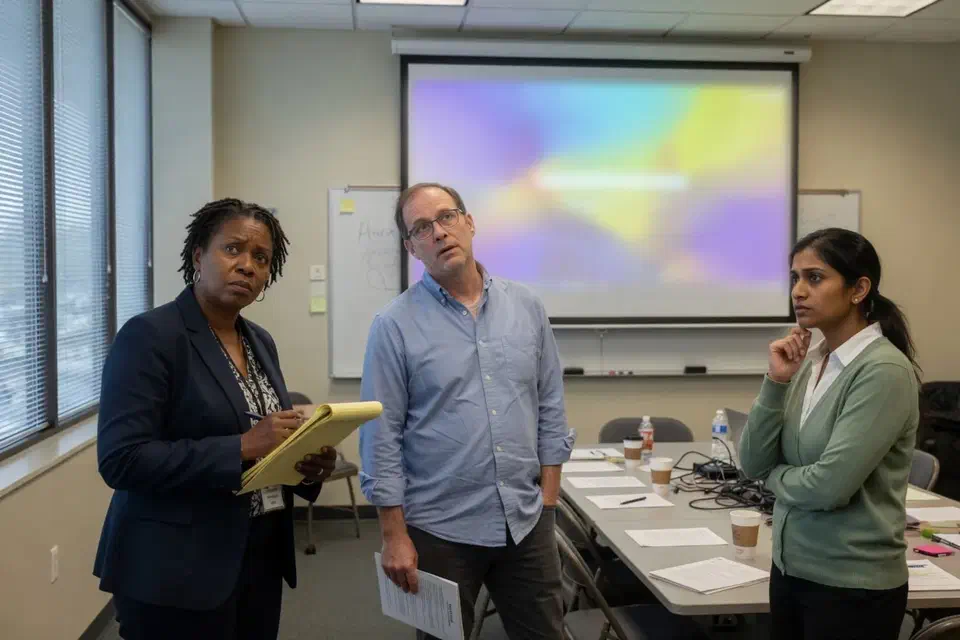
The finance mailbox had a password on a sticky note. Half the staff already had Authenticator. The insurer asked who could sign in with only a password. The honest answer would have been “too many people.”
That is the usual starting point for a Microsoft 365 MFA rollout. A San Fernando Valley nonprofit called Secure Techies after a grant packet and a cyber-insurance form asked for evidence, not a logo. They had Microsoft 365. They did not have coverage on the inboxes that moved donor money.
This case study records the inventory, the enrollment, the grace window, and the day we enforced. Organization identifiers stay out. The method does not.
Why they called
Nonprofits live on email, donor files, and a board that signs in from a kitchen table. A stolen password on the finance mailbox is not an abstract identity problem. It is last month’s donor gifts sitting in an inbox that someone else can open.
CISA’s More than a Password campaign is blunt: MFA is the control that stops a stolen password from becoming an account takeover. Their small-business page says the same in operator language: require multifactor authentication. The board already knew the slogan. What they did not have was MFA on the shared mailbox.
Two facts set the date:
- The insurance form was due in six weeks. “We have MFA” with a hole on finance would have been a lie.
- The board meets monthly. A lockout the week of that meeting was not an acceptable side effect.
We had no leftover enrollment list. We treated every account as unknown until we had a name, a role, and a method.
What this engagement was, and was not
Secure Techies sells identity work as part of cybersecurity and managed help desk. We do not sell a fantasy where every volunteer carries a FIDO key on day one.
We wrote that limit into the statement of work. The executive director wanted a stolen password to stop being enough, and a board that could still open mail.
Out of scope on purpose:
- Phishing-resistant keys for every volunteer
- A full Conditional Access encyclopedia
- Pretending SMS was as strong as Authenticator
- A same-week enforcement with no help desk
In scope:
- Inventory of users, guests, and shared mailboxes
- Authenticator enrollment in place
- MFA on privileged roles and finance/development owners
- A grace window, then enforcement
- A written path for the next hire and the next board member
Microsoft documents how Entra multifactor authentication works and how to set up MFA in Microsoft 365. This organization already owned the control. Someone had turned the easy path off.
How we rolled out Microsoft 365 MFA
Week 1: the account list
The first workshop was a spreadsheet. Every person who opened company mail. Every guest. Every shared mailbox. Who held Global Admin.
We pulled that list from Entra, not from HR’s headcount export. Those two files never match. Guests, shared mailboxes, and a contractor who still had Global Admin do not appear on payroll. For each row we recorded licensed or not, last sign-in, which MFA methods were registered, and whether the row was a person or a mailbox two people opened.
CIS treats that work as Access Control Management. A staff directory is not an inventory of sign-in.
The painful rows were the finance shared mailbox and a leftover Global Admin that had been “temporary” for a prior grant contractor. Both were password-only.
Per-user MFA in the old Microsoft 365 admin toggle is a leftover path. Microsoft’s current guidance is Security Defaults or Conditional Access. We did not turn on both and hope. We picked the simpler path, wrote that choice down, and enrolled against it.
We also asked the director, before we opened the admin center, who they thought already had MFA. They named staff. They did not name the board shared inbox.
Weeks 2 and 3: enroll in place
Staff and the board used Microsoft Authenticator. We scheduled 20-minute remote sessions, not a Saturday lab. Help desk stayed on the phone for the first wave.
Enrollment was combined security-info registration. Authenticator was the method we wanted. A phone number was backup only if the person had no smartphone they could keep. We did not let people register SMS as the only method and call it done. Help desk had a script: open the app, scan, approve a number, sign in again, confirm the next prompt. If that failed, we did not fall back to “just text me a code” unless the exception log already had that person.
A break-glass account went in a vault we could open at night, not in a shared mailbox. If we had put recovery in email, a lockout would have been circular. Break-glass still had MFA. “Break-glass” does not mean password-only. It means a named account that is not daily mail, stored where two people can open it after hours.
Shared mailboxes do not prompt like a person. The people who open them do. We put MFA on those owners and stopped treating a sticky note as a second factor. The finance box kept Full Access for two named staff. It did not keep a shared password in a drawer.
The board enrolled from phones they already carried. We did not invent a lab. One member needed a number match explained twice. That is the job. Microsoft Authenticator number matching exists because prompt bombing is a real technique. We turned it on. We did not leave “approve any popup” as the culture.
What broke in the first ten enrollments
The board member on a flip-phone story. It was not a flip phone. It was an old iPhone that would not install Authenticator until the OS updated. We updated, then enrolled. We did not drop them to SMS to save twenty minutes.
The grant portal that still wanted basic auth. One funder tool used a legacy mail fetch. That is why Security Defaults had been killed. We either found a modern path or we documented the exception with an owner and a kill date. We did not leave Defaults off for one vendor.
Printer scan-to-email. The copier authenticated SMTP against a licensed mailbox. That is a classic reason shops kill Security Defaults. We pointed the device at a mailbox that does not hold donor mail, documented the copier, and put a review date on SMTP AUTH. We did not leave the whole tenant password-only because a copier needed to send PDFs.
The volunteer who forwarded everything to Gmail. Forwarding plus no MFA is how a donor list leaves the tenant. We killed the forward, enrolled the account, and wrote volunteer offboarding next to staff offboarding. The Microsoft 365 security checklist is the longer hygiene list this rollout sat on. MFA without forwarding control is a second lock on a door that is already propped open.
What MFA was not allowed to become
Not a Friday lockout. Enforcement without enrollment support is an outage with a security label.
Not SMS forever. Text codes are better than a password and weaker than an app. We said that in the briefing. CISA’s MFA hierarchy is public. We did not argue with it.
Not FIDO for every volunteer on day one. Phishing-resistant keys are the right long-term target for privileged roles. This shop was not ready to lose a key in a tote bag and recover it at 7 p.m. We named that as later work.
Not a substitute for the call-back on a wire. MFA narrows the funnel. The desk still stops a payee change. We said that so nobody thought Authenticator was a fraud product.
Grace, then enforce
Enrollment without teeth is a directory of names. Microsoft documents a Conditional Access policy that requires MFA for all users. Security Defaults is the simpler switch when you are not ready for a policy library.
We used a grace window so donor week did not stop mid-stream. Then we enforced. Report-only forever is a screenshot, not a control.
Security Defaults and a require-MFA Conditional Access policy are different tools. Defaults is the blunt switch. Conditional Access is the library. This tenant did not need a dozen policies on week one. It needed the hole closed. We used the simpler path, wrote that choice down, and left a later CA conversation on the 90-day list next to phishing-resistant keys for Global Admin.
Grace here meant: people could still sign in while we chased enrollment, then the require-MFA control went on a date everyone had in writing, including the board packet. We watched Entra sign-in logs for failures that said MFA required, and for successes that showed a second factor. Password-only success after that date would have been a failed rollout. We did not find those. We did find one person who had enrolled and then deleted the app. That is a help desk ticket, not a policy debate.
Weeks 4 and 5 were boring on purpose. We chased the two people who had not enrolled. One was on vacation. One had ignored the note. Neither was a reason to leave the tenant password-only.
Insurance answers got rewritten from the one-page list: who has MFA, which shared mailboxes have named owners, where break-glass lives. Memory left the form. The form asked for a percentage. We gave counts and named exceptions instead of a round number that would have been a guess.
The FTC small-business cybersecurity pages keep repeating the same owner sentence: you still own the accounts you run. Headcount of IT staff is not a control.
What the packet contained
- Account list. People, guests, shared mailboxes, privileged roles, each marked enrolled / exception / gone.
- Enrollment runbook. Authenticator steps, who to call if the app would not finish, break-glass location.
- Shared-mailbox owners. Finance and development, named, MFA on.
- Exception log. SMS leftover, grant portal, review date.
- Next-hire page. Same steps HR already used for email, with MFA in the first-day list.
We pointed them at the public MFA guide and at employee offboarding because a volunteer who leaves with Authenticator still on the phone is the next incident. Password management still belongs under MFA. A second factor does not excuse a reused password on the donor portal.
What we verified before we called it a rollout
A green check on one staff account was never the gate. These were:
| Gate | What “done” meant here |
|---|---|
| Inventory | Users, guests, shared mailboxes, leftover Global Admin |
| Enrollment | Authenticator on staff and the board we could reach |
| Shared mail | Finance and development owners on MFA, sticky-note password retired |
| Privileged | Global Admin and break-glass in a vault, MFA on the people who use them |
| Enforce | Require MFA on, after the grace window, help desk live |
| Next hire | Written steps next to offboarding |
What they had that they did not have on day one:
- MFA on the mailboxes that moved money
- A board that could still open email
- A named exception list instead of a silent hole
- A next-hire page HR could follow
What they still did not have, and should not claim:
- Phishing-resistant keys for every volunteer
- A guarantee the next phish never arrives
- A substitute for the call-back on a donor wire
Lessons we would repeat
Count shared mailboxes before you brag about MFA. Staff laptops are the easy row.
Enroll before you enforce. A Friday toggle is an outage.
Put break-glass in a vault, not in email. Recovery that depends on the mailbox you just locked is not recovery.
Name SMS as an exception. If you do not, it becomes the design.
Write the next hire down. The person who enrolled everyone this month will not be in the seat forever.
Planning your own Microsoft 365 MFA rollout
If you already pay for Microsoft 365 and an insurer, a grantor, or your own board is asking who can sign in with only a password, start with the shared mailboxes and a spare hour of help desk. Bring Global Admin and whoever actually opens finance mail. We will tell you what belongs in a five-week rollout and what belongs in a later Conditional Access conversation.
Secure Techies works from Canoga Park with nonprofits and firms across Los Angeles and Southern California. Schedule a consultation if you want the same kind of enroll-then-enforce this client left with.
For a different project record, see a backup restore test before tax season. Identity and copies are separate jobs. Do not mix those two statements of work on paper.
The outcome
A stolen password was no longer enough
- MFA required for staff, the board, and every privileged role
- Finance and development shared mailboxes no longer used a shared password alone
- Security Defaults or an equivalent Conditional Access require-MFA policy actually on, not discussed
- A grace window staff used, then enforcement, with help desk on the phone
- A one-page enrollment runbook for the next hire and the next board member
- SMS left only as a named exception with a review date, not as the design
- Clear statement of what this was not: not phishing-resistant keys for every volunteer, not a Conditional Access encyclopedia
Technologies and frameworks
More projects
Other case studies
 Wiping Jobsite Devices the Day a Crew Left
 Microsoft 365 Backup When Retention Was Not Enough
Questions
Frequently asked questions
What is a Microsoft 365 MFA rollout?
Does Microsoft 365 include MFA?
Will MFA lock people out of email?
Do shared mailboxes need MFA?
Is text-message MFA good enough?
Is this the same as Conditional Access?
Need MFA that actually covers the mailbox?
Secure Techies rolls out Microsoft 365 MFA for Southern California firms and nonprofits that already pay for it and still have a password-only inbox. Start with a conversation in Canoga Park.