Devices and identity
Microsoft Intune Without Recalling Every Laptop
Company laptops enrolled from wherever agents already work. Personal phones got app protection, not a full takeover.

- IndustryBrokerage
- WhereSF Valley
- Timeline8 weeks
- EngagementIntune rollout
Meet the client
A brokerage that could not wipe the laptop that left
Brokerage name, staff names, and device serials are withheld at the client's request. The engagement type, method, and constraints are real.
A San Fernando Valley brokerage asked Secure Techies to get company laptops under Microsoft Intune after a listing coordinator left with an unmanaged notebook. We inventoried editions, upgraded Home to Pro where needed, enrolled existing company PCs remotely, put new purchases on Autopilot, wrapped personal phones with app protection, and wiped a spare before we promised a lost-laptop drill.
Primary goals
What success had to look like
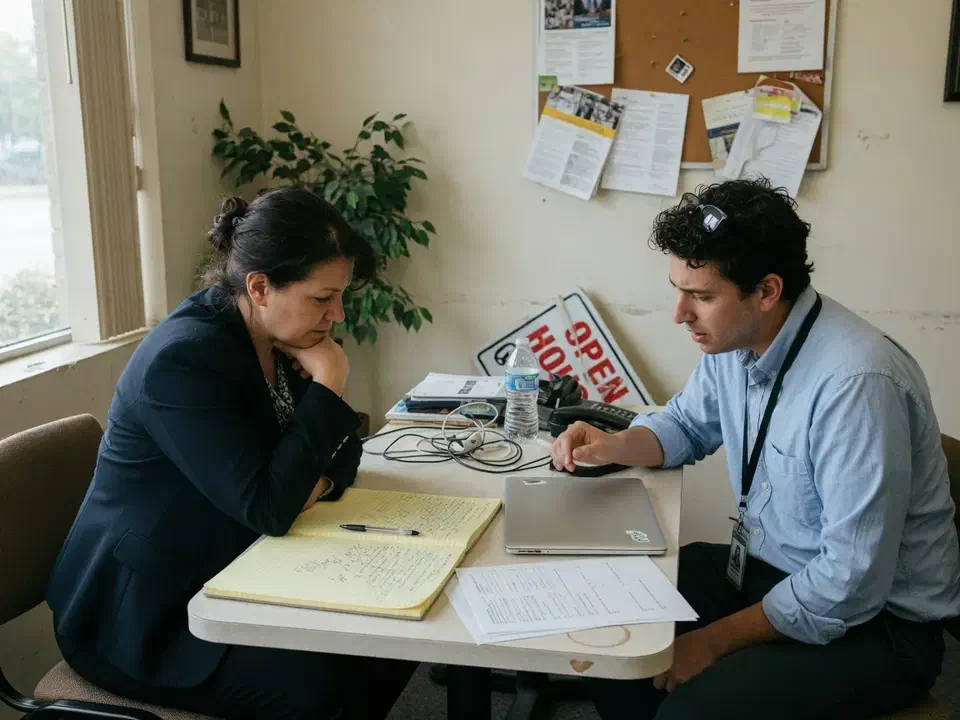
Wipe a company laptop from the console
If a notebook walked, operations needed a retire or wipe that actually reached the device.
Stop recalling the fleet
Agents work from listings, cars, and kitchen tables. A two-day desk visit was not a plan.
Leave personal phones personal
Outlook and Teams on a personal iPhone needed a PIN and a selective wipe, not full MDM politics.
The challenge
The device list was a Best Buy folder
The brokerage already paid for Microsoft 365 Business Premium. Intune was on the invoice. Nobody had opened the admin center. Company mail sat on a mix of Home-edition laptops and personal phones.
- 01
A leaver still had the laptop
The listing coordinator was gone. The notebook was in a kitchen. Outlook was still open. Cloud wipe did nothing because the device was never enrolled.
- 02
Windows Home blocked Autopilot
Several 'company' PCs were consumer editions bought on sale. Autopilot and Entra join expect Pro or higher.
- 03
Agents would not bring hardware in
A recall weekend would have failed. Enrollment had to work from a listing or a home office.
- 04
Personal phones were the real inbox
Full MDM on a personal iPhone was a fight the broker would lose. Work mail still had to leave with the person.
How we worked
Inventory editions, then enroll where people already sit
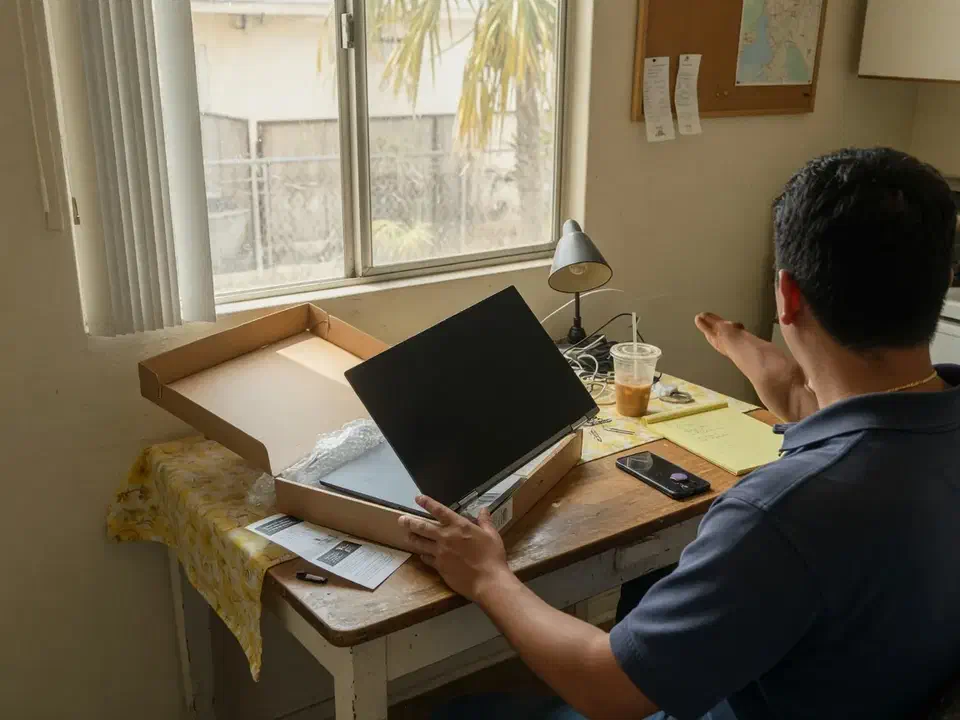
We treated this as a rollout, not a forklift. Scope was written down before the first Company Portal install. Personal phones were never going to be corporate devices.
- 01
Count hardware and editions
A workshop listed every laptop that opened company mail. OS edition, owner, and whether the brokerage actually owned it. Out of scope: taking over personal phones.
- 02
Fix the edition problem
Home machines that were true company assets got a Pro upgrade before Autopilot promises. New purchases were specified as Windows 11 Pro.
- 03
Enroll in place
Existing company PCs used Company Portal and automatic MDM enrollment. New units used Autopilot. Nobody shipped a stack of laptops to Canoga Park.
- 04
Protect apps on personal phones
App protection policies on Outlook, Teams, and OneDrive. PIN, no copy to personal apps, selective wipe on exit.
- 05
Prove the wipe
A spare company laptop was wiped from the console. Time and the role required went in the packet.
What we examined
Six workstreams, one console
Intune is not a single switch. Each workstream fed the same outcome: a device we could name, score, and retire.
Licensing and automatic enrollment
Business Premium already included Intune Plan 1. We turned on automatic MDM enrollment in Entra and assigned licenses to people who would enroll.
Windows company devices
Compliance: BitLocker, PIN, current OS. Microsoft 365 Apps pushed from Intune instead of random installers.
Windows Autopilot for new buys
Hardware hashes registered. Out-of-box join and enroll. Autopilot Reset when a laptop changed hands.
App protection for BYOD phones
MAM without enrollment. Work data in managed apps only.
Conditional Access
Company Windows: require a compliant device for mail and SharePoint. Phones: approved app plus app protection.
Admin hygiene
Intune treated as a high-value system. Least privilege, MFA on admins, a test wipe before the next leaver.
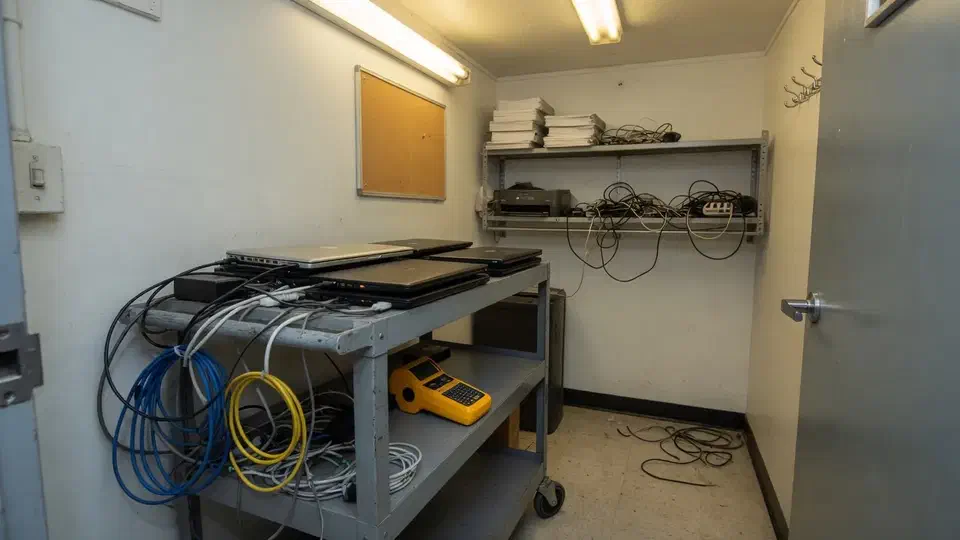
Windows Home was the silent blocker. Autopilot does not fix a consumer edition.

The listing coordinator was gone. The laptop was in a kitchen. Outlook was still open. The console could not wipe what it had never seen.
That is the usual starting point for a Microsoft Intune rollout. A San Fernando Valley real estate brokerage called Secure Techies after offboarding failed on the hardware. They had Microsoft 365 Business Premium. Intune was on the invoice. The admin center had never been the daily tool.
This case study records how we inventoried editions, enrolled company PCs without a recall weekend, wrapped personal phones, and wiped a spare before we promised the next leaver. Client identifiers stay out. The method does not.
Why they called
Brokerages live on mail, transaction files, and phones in driveways. A lost or leftover laptop is not an abstract asset problem. It is last week’s offer letter sitting in a kitchen.
The broker already knew employee offboarding had to include the device. What they did not have was a managed device. Intune cannot remotely wipe a PC it has never enrolled.
Two facts set the date:
- Another coordinator was starting in six weeks. The next laptop could not be another Best Buy consumer box.
- Agents would not spend a Saturday in the office for imaging.
The leftover laptop was a separate sentence. Intune could not wipe it. We reset the account, revoked sessions, and pulled the mailbox off any phone that still had Outlook. Hardware recovery was a manager conversation, not a console click. That is why this project existed. Offboarding without enrollment is identity work plus a hope that the person brings the PC back.
We had no leftover Autopilot hashes. We treated the fleet as unknown until we had an edition list.
What this engagement was, and was not
Secure Techies sells device management as part of managed help desk and Microsoft 365 work. We do not sell a fantasy where every personal iPhone becomes a corporate asset.
We wrote that limit into the statement of work. The broker wanted a wipe that worked on company hardware, and work mail that left a personal phone.
Out of scope on purpose:
- Full MDM of personal phones
- Recalling the fleet to a desk
- Buying Intune Suite extras nobody had asked for
- Pretending Intune is antivirus
In scope:
- Inventory of company-owned Windows
- Pro upgrades where Home blocked Autopilot
- In-place enrollment
- Autopilot for new purchases
- App protection on iOS and Android
- Conditional Access for company Windows
- A wipe test on a spare
Microsoft describes Intune as cloud endpoint management. Business Premium includes Intune Plan 1. This firm already owned the gym membership. We opened the door.
How we enrolled without a desk-visit circus
Week 1 and 2: the edition list
The first workshop was a spreadsheet. Every laptop that opened company mail. Owner. Whether the brokerage paid for it. Windows edition.
CIS treats that list as Inventory and Control of Enterprise Assets. A Best Buy receipt folder is not an inventory.
The painful row was Home. Windows Autopilot and Entra join expect Pro or higher. We have watched Autopilot fail on Home. Microsoft’s enrollment troubleshooting says the same thing: upgrade the edition.
We did not promise Autopilot on those machines until Pro was licensed. New purchase orders were rewritten to Windows 11 Pro. That single line item saved the project from a two-week blame cycle.
Weeks 3 to 6: enroll in place
Existing company PCs used Company Portal and automatic MDM enrollment. Agents stayed where they already worked. We scheduled a 30-minute remote session per person, not a shipping crate. Entra join, not a leftover on-prem domain. This brokerage did not have a domain controller to hybrid-join, and we did not invent one.
New laptops used Autopilot. Unbox, plug in, sign in, wait. The hardware hash had to exist in the tenant before the first power-on or OOBE sits there looking broken. For the units already on order we pulled hashes from the vendor packing list where we could, and from the out-of-box screen when we could not. Autopilot Reset was the path when a laptop changed hands, so the next coordinator would not inherit the last person’s local profile.
Personal phones never enrolled. App protection policies wrapped Outlook, Teams, and OneDrive: PIN, no copy into personal WhatsApp, selective wipe on exit. The photos stayed on the phone. The offer letter did not.
What broke in the first ten enrollments
The first wave was ten people: operations, two transaction coordinators, and a handful of agents who actually used a company laptop. That wave is where the project gets honest.
Printers. A USB printer at the front desk did not survive a compliance policy that blocked random installers. We pushed a managed driver for the one printer the office owned and stopped pretending every agent’s home printer was in scope.
The transaction tool. The brokerage’s deal platform is a vendor product. We do not support the MLS or the transaction system itself. What we do is keep the Windows and browser path healthy. One agent had a helper app that only installed with a local-admin USB stick. That helper was the reason three laptops still had leftover local admin from the last vendor. We either found a supported install or we documented the exception with an owner and a review date. We did not leave local admin “so printing works.”
The Home PC that was “kind of company.” One notebook had been bought by an agent and later reimbursed. Nobody could say who owned it. We treated it as personal until the broker put it on the asset list in writing. Intune does not resolve a property dispute.
Company Portal that would not finish. Two agents hit the enrollment screen and sat there. One was still on Home. One had a personal Microsoft account signed into Windows as the device owner. We fixed the edition and the device owner, then enrolled. A stuck portal is usually an identity problem, not a reason to ship the laptop to Canoga Park.
Communication mattered more than a configuration profile. We sent one note: what we would see on a company laptop, what we would not see on a personal phone, and how long the grace period lasted. Agents who only used a personal phone never opened Company Portal. That was correct.
What Intune was not allowed to become
Not a phone war. Full MDM on a personal iPhone is how you lose the rollout. MAM is the deal that gets adopted.
Not antivirus. Defender for Business was already in the Business Premium seat. Enrollment without an agent still leaves malware as a separate conversation. We said that in the readout.
Not a reason to enroll the lobby iPad on a leftover user license. Shared devices are a different SKU. We left the iPad out until someone owned the license question.
Not an unattended admin console. CISA’s March 2026 alert is blunt: treat endpoint management as a high-value system. Intune can push software to every PC. We reduced who could do that, and required MFA on those admins.
Compliance and the wipe that counted
Enrollment without teeth is a directory of names. Compliance policies scored company Windows: encrypted, PIN, current OS. That score went to Entra ID.
Conditional Access with Intune used it. Company Windows had to be compliant to open mail and SharePoint. Personal phones had to use the protected apps. A home PC that never enrolled simply did not get the mailbox.
We gave a two-week grace on the company-PC rule so listings did not stop mid-week. Then we enforced. Report-only forever is a screenshot, not a control.
The wipe test used a spare, not a production agent laptop. Wipe, not retire. Time on the clock. Role required. Steps written next to the offboarding ticket. The next leaver would not be the first time anyone clicked the button.
Weeks 7 and 8: grace, then enforce
Those two weeks were boring on purpose. We watched check-in. We chased the two company laptops that had not enrolled. One owner was on vacation. One had ignored the note. Neither was a reason to leave Conditional Access in report-only.
We sat with operations while they unboxed the new coordinator’s PC. Autopilot, not a Best Buy consumer image. The interesting work was already done. The useful work was making sure the next hire did not restart the cycle.
A home PC that never enrolled simply stopped getting the mailbox when the grace ended. That was the design. Agents who lived in Outlook on a personal phone kept working through the protected apps. We said that out loud so nobody treated a blocked personal Windows login as an outage.
NAR and industry groups keep repeating wire-fraud hygiene because the inbox is still where money moves. This project did not replace that habit. A managed laptop and a protected Outlook app make the call-back rule easier to keep. They do not replace it. We said that in the readout so nobody thought Intune was a fraud product.
What the packet contained
- Edition and ownership list. Company versus personal. Home versus Pro. What would enroll.
- Enrollment runbook. Company Portal steps, Autopilot unbox, who to call if OOBE stuck.
- App protection one-pager for agents: what IT can and cannot see on a personal phone.
- Wipe runbook tied to offboarding.
- Admin list for the Intune console, short on purpose.
We pointed the broker at the public Microsoft Intune for small business guide for the same 90-day shape, and at MFA because a compliant device without MFA is still a password away from trouble.
What we verified before we called it a rollout
Buying the license was never the gate. These were:
| Gate | What “done” meant here |
|---|---|
| Inventory | Company versus personal, Home versus Pro, who actually owned the machine |
| Edition | Company Home boxes upgraded, or left out of Autopilot on purpose |
| Enrollment | Company Windows in Company Portal or Autopilot, check-in seen in the console |
| Phones | App protection on Outlook, Teams, and OneDrive. No full MDM on personal iPhones |
| Access | Compliant company PC required for mail and SharePoint after the grace period |
| Wipe | Spare laptop wiped, time and role written next to offboarding |
What they had that they did not have on day one:
- A device list both operations and the broker would sign
- A wipe that reached a company laptop
- A written phone deal agents could read
- New PCs ordered as Windows 11 Pro, with Autopilot in the unbox
What they still did not have, and should not claim:
- Antivirus “because Intune is on”
- Management of every personal phone in the building
- A substitute for the call-back rule on a wire
Lessons we would repeat
Count editions before you sell Autopilot. Home is the silent blocker.
Do not recall a mobile workforce. Enroll in place or do not promise the project.
Write the phone deal down. Agents will ask what you can see. Answer once, in writing, and keep it.
Wipe a spare. A runbook nobody has used is a blog post.
Treat the console as a high-value system. Least privilege. MFA. Watch who can push apps.
Buy Pro the next time, not the next incident. The cheapest consumer laptop is expensive when Autopilot fails in week three and a new coordinator is already sitting in the lobby.
Decide ownership on paper. A reimbursed personal notebook is not a company device until the broker says it is. Enrollment will not settle that argument.
Offboard the account the same day even if the laptop is gone. Reset, revoke, pull the mailbox. Then start the Intune project so the next leaver is a console click.
Planning your own Intune rollout
If you already pay for Business Premium and cannot wipe a laptop, start with the edition list and a spare. Bring the tenant admin and whoever actually buys PCs. We will tell you what belongs in an eight-week rollout and what belongs in a later EDR conversation.
Secure Techies works from Canoga Park with firms across Los Angeles and Southern California. Schedule a consultation if you want the same kind of in-place enrollment this brokerage left with.
For a different project record, see a backup restore test before tax season. Devices and copies are separate jobs. This brokerage needed the first. The CPA firm needed the second. Do not mix those two statements of work on paper.
The outcome
A console that could retire a laptop
- Company-owned Windows devices enrolled without a recall weekend
- New purchases specified as Windows 11 Pro and registered for Autopilot
- Home editions that the brokerage owned upgraded before Autopilot was promised
- Personal phones wrapped with app protection instead of full enrollment
- A spare laptop wiped from the console, with the steps written next to offboarding
- Conditional Access requiring a compliant company PC for mail and files
- Clear statement of what this was not: not antivirus, not a full MDM of every personal iPhone
Technologies and frameworks
More projects
Other case studies
 Wiping Jobsite Devices the Day a Crew Left
 Microsoft 365 Backup When Retention Was Not Enough
Questions
Frequently asked questions
What is a Microsoft Intune rollout?
Do we have to collect every laptop?
Does Microsoft 365 Business Premium include Intune?
Can Intune manage personal phones without taking them over?
What is the difference between Intune and Autopilot?
Will Intune replace antivirus?
Need devices you can actually wipe?
Secure Techies rolls out Microsoft Intune for Southern California firms that already pay for it and have never opened the console. Start with a conversation in Canoga Park.