Microsoft 365 files
SharePoint Oversharing Cleanup for a Media Agency
External sharing was the default. Client folders did not know that. We turned Anyone links off and put guests on a list.

- IndustryMedia agency
- WhereLos Angeles
- Timeline3 weeks
- EngagementSharing cleanup
Meet the client
An agency that could not name who still had the files
Agency name, client brand names, and site URLs are withheld at the client's request. The engagement type, method, and constraints are real.
A Los Angeles media agency asked Secure Techies to clean SharePoint external sharing after a client asked who outside the firm could still open last year's campaign files. Anyone links were on. Guests from old freelancers were live. We inventoried sites, turned Anyone links off, named owners, and left a written sharing rule producers would actually follow.

Primary goals
What success had to look like
Stop Anyone links
Unauthenticated links on client work are not collaboration. They are a leak with a copy button.
Know the guests
Every external person needed a name, a site, and an end date. Leftover 2022 guests were not 'the vendor.'
Keep producers working
A hard cut that broke every freelancer share on a Thursday would have been an outage. Inventory first. Then tighten.
The challenge
Sharing was on because it was easy
The agency was not starting from zero. SharePoint and OneDrive were daily work. What they lacked was a current list of who outside the firm could still open a file.
- 01
Anyone links were the default
Producers copied links because it was faster than inviting a guest. Those links still opened after the freelancer rolled off.
- 02
Guests outlived the job
Entra guests from old editors and a prior color house were still live. Offboarding the human had not offboarded the guest.
- 03
Client sites mixed with the junk drawer
Finance, HR, and active campaigns sat in a tenant that allowed the same sharing slider.
- 04
A client had started asking
A brand security questionnaire wanted to know who could access their assets. Memory was not going to survive that form.

How we worked
Inventory sharing, then turn the slider
We treated this as a cleanup, not a lockout. Scope was written down before Anyone links died.
- 01
Export who can still open files
Sites, Anyone links, guests, owners. Out of scope: rebuilding the whole information architecture on day one.
- 02
Name client vs internal
Campaign sites vs finance/HR. Different sliders. Different owners.
- 03
Turn Anyone off
Tenant and site level. New and existing guests where a freelancer still needed in. Existing-only where they did not.
- 04
Write the rule producers will follow
How to invite, who approves, when a guest dies. A 15-minute briefing. No hour of slides.
What we examined
Five checks, one sharing policy
The slider was the headline. The workstreams were how we knew Thursday still delivered files.
Site inventory
Active campaigns, archive dumps, finance, HR, the junk library nobody owned.
Anyone links
Where they lived, who created them, what still opened.
Guest accounts
Entra guests, last sign-in, which site they still touched.
Site-level sliders
Tenant default vs per-site. Finance locked. Client work invited.
Producer briefing
How to share with a freelancer without Anyone. Who to call when a link dies.
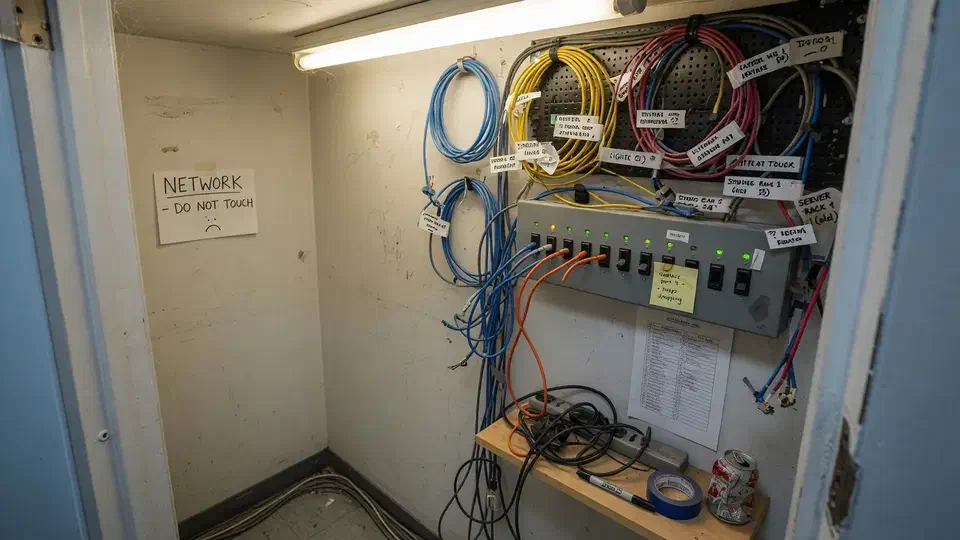
Anyone links are easy. They are also how a campaign leaves with a freelancer.

Anyone links were on. A freelancer from two years ago could still open last year’s campaign. A client asked who outside the agency could see their files. Nobody in the room could answer with a list.
That is the usual starting point for a SharePoint external sharing cleanup. A Los Angeles media and advertising agency called Secure Techies after a brand questionnaire demanded evidence, not a shrug. They lived in SharePoint. They did not own the slider.
This case study records the inventory, the Anyone cut, the guest list, and the briefing producers actually attended. Agency identifiers stay out. The method does not.
Why they called
Agencies live on files, freelancers, and Thursday deadlines. Microsoft is explicit that external sharing in SharePoint and OneDrive is on by default. Default is not a policy. It is a hope.
The FTC small-business cybersecurity guidance is plain: you still own the data you hold. Headcount of producers is not a control.
Two facts set the date:
- A client security packet asked who could access their assets. The last answer would have been improvised.
- A new campaign was starting in four weeks. Tightening after that launch would have been an incident.
We had no leftover sharing report. We treated every Anyone link as live until the admin center said otherwise. A screenshot of a happy tenant is not an inventory. The export is.
Producers already knew those client stills should not live on an anonymous public link. The habit did not. We wrote the non-goals so nobody would later read a slider change as a DAM project.
What this engagement was, and was not
Secure Techies sells Microsoft 365 operations as part of cybersecurity and managed help desk. We do not sell a digital asset manager and we do not pretend a three-week slider change is records management.
We wrote that limit into the statement of work. The ECD wanted client files off anonymous links, and producers who could still deliver.
Out of scope on purpose:
- A full information architecture
- Replacing Frame.io, Box, or whatever the editors actually use
- Turning off all external sharing
- A same-week cut with no guest path
In scope:
- Site and Anyone-link inventory
- Guest list with last sign-in
- Tenant and site sliders
- A written sharing rule
- A producer briefing
Microsoft documents how to limit accidental exposure when sharing outside the organization, including turning off Anyone links. That page is the method. This job was using it.
How we cleaned SharePoint external sharing
Week 1: the sharing export
The first half-day was a list, not a slider. Sites. Owners. Anyone links. Guests. Which libraries held client work vs the junk drawer.
We used the SharePoint sharing reports and the Entra guest list, then walked campaign sites by hand. A report that says “sharing is on” is not an inventory. We needed the URL, the owner, whether the link was Anyone or a named guest, and whether it still opened. We opened a sample of Anyone links from a browser that was not signed in. If it rendered stills, it counted.
That list prevented the usual failure: turning sharing off globally and watching producers flee to personal Dropbox.
We asked the ECD, before we opened the admin center, who they thought could still see files. They named current freelancers. They did not name 2022 color-house guests.
Weeks 2 and 3: sliders and guests
Tenant sharing moved off Anyone. Microsoft is explicit that a more restrictive slider stops new Anyone links, and that guests typically lose access within about an hour when you tighten sharing. Anyone links are the anonymous version of that. We treated old pasted URLs as dead after the change, and we said so in the briefing before we moved the slider, not after a freelancer called the ECD. New and existing guests stayed where a campaign still needed a freelancer. Finance and HR sites went to people in the organization only.
Default link type moved to people with existing access, or specific people, not Anyone. A producer who hits Share should not land on an anonymous URL because the tenant still thought that was helpful.
Microsoft lets you limit sharing by domain. We did not need a 5,000-domain allowlist. We needed named guests on named sites. Domain restriction stayed as a later option if they only ever work with two post houses.
Stale guests died. Remaining guests got an owner and a review date. Offboarding a freelancer now includes the Entra guest, not just Slack.
We did not cut every live guest on day one. Two editors were on the current campaign. Cutting them would have taught the floor to use personal drives. We named them, tied them to a site, and put an end date on the calendar the week after delivery.
CIS Access Control Management is the same idea in framework language: know who can still get in. A Slack display name is not that list.
Help desk got a one-line ticket type: guest invite, guest removal. If sharing is only a policy PDF, it dies on the first Thursday.
What the export hid
We are not going to invent a “sharing risk dropped 47 percent” slide. The useful story is the pattern.
Anyone links outlived the job. Producers pasted them because invite-a-guest felt slow. The links still opened. That is the opposite of an end date.
Guests outlived the human. Entra does not read the freelance agreement. Last sign-in told the truth. Some guests had not signed in for a year and could still open a library.
Finance sat on the same slider as campaigns. Payroll folders do not need a freelancer. Campaigns do. One tenant default made both look like “we share.”
OneDrive was informal. A producer’s personal-looking OneDrive held current client stills because “it was faster than the site.” That account followed the tenant slider. Recycle bin would not have helped a forwarded Anyone link.
Owners were a rumor. Several campaign sites had no named owner after a producer left. Sharing settings had no one to ask.
Teams files were a confusion. Teams files live in SharePoint. If the library is wide open, the channel is wide open. Teams chat is a different store. We asked the ECD, in writing, whether lost chat would stop a delivery. They said no. Lost campaign stills would. That is why we inventoried Teams-connected libraries the same day we inventoried classic sites. The packet records that so nobody later claims “everything in Teams” was locked.
Microsoft also documents how to turn external sharing on or off at organization and site level. The most restrictive value always wins. We used that on purpose for finance.
CISA’s small and medium business pages keep repeating access control in owner language. An Anyone link is access you cannot name.
None of this required a new product. It required treating client files as named access.
What we told producers
Tools narrow the funnel. The desk stops the paste.
The written rule we left is short enough to tape near a monitor:
- Client work is invited guests, not Anyone links.
- Finance and HR are internal only.
- Every guest has an owner and an end date. The freelancer rolling off is a ticket, not a vibe.
- If a share fails on a Thursday, call help desk. Do not paste a personal Dropbox link to “just get it out.”
We ran a fifteen-minute briefing with the people who actually send files. We showed one Anyone link from the export, opened it signed out, then showed the same URL after Anyone was off. That is the demo that sticks. We did not do an hour of slides.
Help desk sat through the first campaign week after the slider. If a share failed, the ticket was “invite this guest to this site,” not “turn Anyone back on until Friday.” We wrote that refusal down so a night technician would not undo the job.
What we refused to do
We would not turn off all external sharing to look decisive. That is how files leave through a personal Dropbox you cannot see.
We would not invent a “sharing score dropped 47 percent” graphic. The useful number is how many Anyone links still opened, and whether a guest from 2022 still could.
We would not skip finance. Campaign sites get the attention because they are loud. Payroll is quiet and worse when it is wrong.
We would not leave OneDrive as “personal, so out of scope.” If it holds client stills, it is in scope.
Cybersecurity after this job was not a new SKU. It was guests, MFA on the people who share, and the help desk ticket type. For identity next door, see Microsoft 365 MFA without locking out the board.
The Microsoft 365 security checklist is the longer hygiene list this week sat on. Vendor risk is the freelancer chapter: access ends when the job ends.
What the packet contained
- Sharing inventory. Sites, Anyone links, guests, owners.
- Slider map. Tenant vs finance vs campaign vs archive.
- Guest list. Live, cut, review date.
- Producer one-pager. How to invite, who to call.
- Questionnaire paragraph. Facts, not “we take security seriously.”
Zero trust at this size is not a platform. It is “do not trust a link because it came from Slack.”
What we verified before we called it done
A slider with no guest list is still a story.
| Gate | What “done” meant here |
|---|---|
| Inventory | Campaign sites, finance/HR, junk libraries, Anyone links, guests |
| Anyone | Off at tenant. Not re-enabled as a convenience |
| Guests | Stale cut. Live guests named with a site and owner |
| Sliders | Finance internal. Campaigns invited guests |
| Briefing | Producers who send files actually attended |
| Next job | Freelancer offboarding includes the Entra guest |
What they had that they did not have on day one:
- A list of who outside the firm could still open files
- Anyone links off
- A sharing rule producers had heard once
- Questionnaire answers with evidence
What they still did not have, and should not claim:
- A DAM
- A records schedule for every archive
- A guarantee a producer never pastes a personal link
Lessons we would repeat
Export Anyone links before you lecture. The ECD’s story and the admin center are often different people.
Do not nuke all external sharing. You will teach the shop to use Dropbox.
Kill guests when the job dies. Offboarding is not only staff.
Split finance from campaigns. One slider is how payroll looks like a mood board.
Brief the people who paste links. A policy PDF will not.
Planning your own SharePoint sharing cleanup
If a client, an insurer, or your own gut is asking who outside the firm can still open a file, start with Anyone links and the guest list. Bring SharePoint admin and whoever actually sends files on Thursday. We will tell you what belongs in a three-week cleanup and what belongs in a later information-architecture conversation.
Secure Techies works from Canoga Park with agencies and firms across Los Angeles and Southern California. Schedule a consultation if you want the same kind of named sharing this client left with.
For a different project record, see a two-week business firewall cleanup. Files and the closet are separate jobs.
The outcome
External sharing became a decision
- Anyone links off at tenant level. Client work uses invited guests, not anonymous links
- Stale freelancer guests disabled. Remaining guests listed with a site and an owner
- Finance and HR sites set tighter than campaign sites
- A one-page sharing rule producers actually read
- A 15-minute briefing with the people who send files, not a slide deck
- Questionnaire answers rewritten from the inventory, not from memory
- Clear statement of what this was not: not a records-management overhaul, not a DAM replacement
Technologies and frameworks
Related services
Work that sits next to this project
More projects
Other case studies
 Wiping Jobsite Devices the Day a Crew Left
 Microsoft 365 Backup When Retention Was Not Enough
Questions
Frequently asked questions
What is a SharePoint external sharing cleanup?
Should we turn off all external sharing?
What is an Anyone link?
Do old freelancer guests still have access?
Will this break OneDrive?
Is this a records-management project?
Need SharePoint sharing you can actually name?
Secure Techies cleans Microsoft 365 sharing for Southern California agencies and firms that still have Anyone links on client work. Start with a conversation in Canoga Park.