
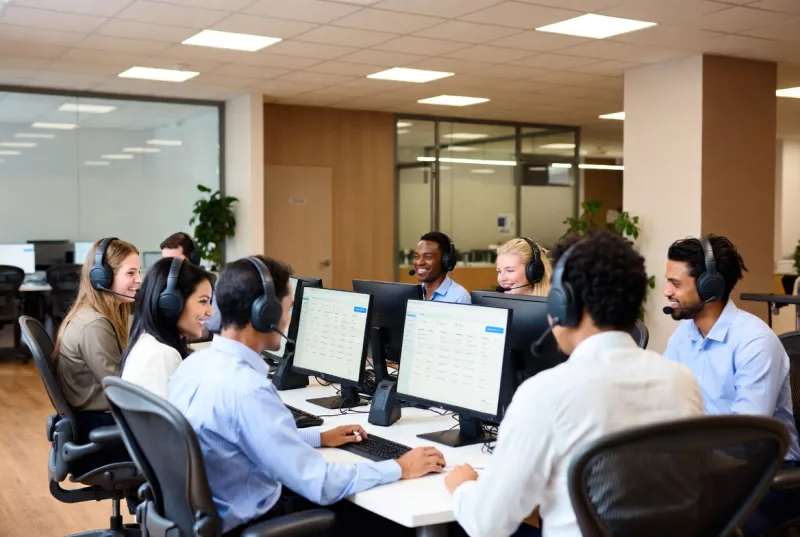
Everything you need, nothing you don't
24/7 Remote Support & Ticketing
Your team gets instant access to skilled technicians around the clock. Our streamlined ticketing system ensures every issue is tracked, prioritized, and resolved efficiently: nothing falls through the cracks.
On-Site Support on the Westside
Some problems demand hands-on attention. Local technicians provide fast on-site support for Santa Monica, Venice, Brentwood, Culver City, and nearby Westside offices for hardware failures, network issues, and critical problems.
Employee Onboarding & Offboarding
We handle the full IT lifecycle for your employees: accounts, devices, permissions on day one, and secure revocation on their last day. Seamless for HR, secure for your business.
Microsoft 365 & Google Workspace Admin
From mailbox configurations and license management to permissions and security policies: we manage your collaboration platforms so your team always has the tools they need.
How It Works
Submit a Ticket
Your team contacts us via phone, email, or our support portal. Every request is instantly logged and assigned a priority level based on business impact.
Expert Triage
A qualified technician reviews and begins working on your issue within minutes, not hours. Most problems are resolved remotely in a single session.
Resolution & Follow-Up
We resolve the issue, document the solution, and follow up to make sure everything is working perfectly. If it is a recurring problem, we implement a permanent fix.
Continuous Improvement
Monthly reports highlight ticket trends, response times, and recurring issues, helping us proactively eliminate problems before they affect your team.
Managed help desk support in Santa Monica
Managed help desk in Santa Monica gives employees a fast path to real technicians when technology gets in the way of work. Password lockouts, broken laptops, email glitches, printer failures, and access issues are not minor annoyances when a pitch, product demo, or client call is on the calendar. They are operational risk for Westside teams that move fast.
A help desk should feel simple for users and rigorous for the business. Tickets are logged. Priorities are clear. Resolutions are documented. Recurring issues are fixed at the root, not endlessly reopened. That is the difference between “someone answered the phone” and a support operation that protects productivity.
Secure Techies delivers the same full managed help desk operation local teams expect from a serious MSP, with local context for Santa Monica and the Westside. For broader IT coverage in the area, see our Santa Monica location page.
If you are comparing models, our guides on 24/7 IT support, IT support in Los Angeles, and IT support cost for small business explain what buyers should expect from modern support partnerships.
What managed help desk support includes
Managed help desk is the front door of IT operations. It covers the everyday friction that stops work, plus the structured processes that keep identity, devices, and collaboration tools healthy.
It is not the same as break-fix consulting where someone shows up only after something fails and invoices by the hour. It is an always-available service desk with SLAs, remote tooling, escalation paths, and continuity of knowledge about your environment.
Core outcomes include:
- Fast response when users are blocked
- High first-contact resolution for common issues
- Secure onboarding and offboarding that HR can trust
- Consistent administration of Microsoft 365 or Google Workspace
- On-site help when remote tools cannot finish the job in Santa Monica
- Trend reporting that drives permanent fixes
Support works best when it is paired with solid managed infrastructure and cybersecurity. A help desk that only reacts while systems stay unpatched will never get ahead.
Who needs a managed help desk in Santa Monica
Companies that have outgrown “ask the tech-savvy employee”
Every office has that person. It is unfair to them and unsafe for the business. Formal support removes shadow IT ownership and creates accountability across Westside suites.
Growing teams with high onboarding volume
Hiring in waves creates spikes in account creation, device setup, and access requests. A managed help desk absorbs that load without delaying HR start dates for Santa Monica teams.
Hybrid and multi-shift organizations
If people work early, late, or remotely, a 9-to-5 support model fails them. Hybrid Westside schedules especially need 24/7 coverage.
Organizations that need on-site reach on the Westside
Some failures need hands on hardware. Local technicians matter when a switch dies, a server needs attention, or a conference room system fails before a high-stakes meeting in Santa Monica.
Leaders who want predictable cost and measurable quality
If support quality depends on who happens to answer email that day, you do not have a process. You have hope. Managed help desk replaces hope with metrics.
Buyers in our core markets can also review managed IT services Los Angeles for broader service context.
Local context: Santa Monica and the Westside
Santa Monica companies often blend creative, professional services, and product teams in dense office environments with heavy hybrid work. High meeting density, cloud collaboration, remote staff, and fast hiring cycles are normal. Low patience for multi-hour IT delays is also normal. Response time matters when half the team is remote and half is in a conference room that will not connect.
Nearby communities we commonly support together with Santa Monica include Venice, Brentwood, Culver City, and West LA. Multi-site companies often need the same standards across those locations.
Problems a strong help desk solves
Lost productivity from small issues
A five-minute problem becomes a two-hour problem when nobody knows who to call. Multiply that across a Santa Monica team and the annual cost is larger than most software subscriptions.
Inconsistent user experience
One employee gets white-glove help. Another waits two days. That inconsistency breeds workarounds and resentment. Standardized intake and prioritization keep service fair and transparent.
Security gaps during joiners and leavers
Accounts left active after termination are a classic incident path. Incomplete onboarding creates shadow accounts and password sharing. Lifecycle management is a security control, not just an HR convenience.
Tool sprawl and mailbox chaos
Shared mailboxes, licensing waste, broken calendar permissions, and Teams or Drive confusion generate endless tickets. Competent collaboration-platform administration reduces that noise for cloud-heavy Westside offices.
Recurring issues that never get fixed
If the same printer or VPN ticket appears weekly, the system is broken. A mature help desk tracks patterns and drives permanent remediation with infrastructure and network teams.
What our help desk covers day to day
When you partner with Secure Techies, your Santa Monica team gets a full-service support operation without building one in-house.
Desktop and laptop support
Employee devices should never be the reason work stops:
- Windows and macOS troubleshooting
- Application installation, updates, and configuration
- Performance diagnostics and optimization
- Peripheral setup for monitors, docks, and accessories
- Crash recovery and stable rebuilds when needed
Email and collaboration platforms
Communication tools are the bloodstream of modern work:
- Microsoft 365 mailbox management and troubleshooting
- Google Workspace administration
- Calendar, contacts, and shared resource configuration
- Spam filter and basic email security coordination
- Teams, Meet, Zoom, and related collaboration support
For platform strategy context, see Microsoft 365 for business. Microsoft’s own Microsoft 365 admin guidance is a useful reference for how tenant hygiene should work.
Mobile device support
People work from phones and tablets as often as laptops:
- iOS and Android configuration for business use
- Secure email and app setup
- MDM enrollment where policy requires it
- Remote wipe options for lost or stolen devices
- Practical BYOD boundaries that users can understand
Employee lifecycle management
IT should accelerate HR processes, not delay them:
- Onboarding: accounts, devices, access, email, and first-day readiness
- Role changes: permissions, app access, and device updates
- Offboarding: deactivation, data handling, device collection, and access revocation
Print, peripherals, and conference rooms
Unglamorous systems still stop meetings:
- Network printer and scanner support
- Driver and firmware hygiene
- Print queue troubleshooting
- Basic conference room device recovery coordination
Security-aware support habits
Help desk technicians are often the first to see phishing reports, suspicious login alerts, or unusual access requests. We treat those moments seriously and escalate into cybersecurity and network security workflows when needed. CISA’s guidance on recognizing and reporting phishing aligns with how we coach users during real incidents.
How engagement works
Intake
Users contact us by phone, email, or portal. Every request is logged. Priority is based on business impact, not who shouts loudest.
Triage and remote resolution
A qualified technician starts quickly. Most issues are resolved remotely in one session with remote tools, secure authentication, and clear communication.
Escalation and on-site support
When hardware, local network conditions, or complex environment issues require presence, local technicians step in for Santa Monica and nearby Westside offices. Remote-first does not mean remote-only.
Follow-up and permanent fix
We confirm the fix with the user. Recurring tickets trigger root-cause work so the same issue does not return next week.
Reporting and continuous improvement
Monthly reviews show volume, categories, response times, and top recurring issues. Leadership sees where friction lives. We use that data to improve infrastructure, training, and standards.
This loop is what turns a ticket queue into an operational advantage.
What good help desk support looks like
| Dimension | Weak support | Strong support |
|---|---|---|
| Response | Hours of silence | Minutes, with clear ownership |
| Resolution | Ticket closed without confirmation | User validates the fix |
| Knowledge | Every tech starts from zero | Environment notes and history |
| Security | Shared passwords and ad hoc access | Controlled, audited support actions |
| Onboarding | Day-one chaos | Accounts and devices ready |
| Reporting | No visibility | Trends and permanent fixes |
Users should not need to be IT experts to get help. They should need only a simple path and a reliable outcome.
Risks of weak or missing help desk coverage
Shadow support culture
When official support is slow, people ask friends, download random tools, or reuse passwords. That creates security and support debt inside Santa Monica offices.
Extended downtime for simple failures
A mailbox issue that should take ten minutes can cost half a day of billable or product work if nobody is accountable after hours.
Compliance and access control failures
Incomplete offboarding and uncontrolled shared accounts become findings in audits and insurance reviews. Support process is part of compliance readiness.
Leadership blind spots
Without ticket data, leaders guess why teams are frustrated. With data, they can fund the right fixes: better WiFi, better devices, better onboarding, better security training.
The SBA notes that small businesses often lack dedicated IT capacity and benefit from structured practices that reduce operational disruption; see the SBA cybersecurity and business management guidance for a plain-language framing of why process matters as much as tools.
Industries we support well in Santa Monica
Creative and agency teams
Delivery deadlines and client reviews leave little room for multi-hour outages over a laptop or mailbox.
Professional services and startups
Growing headcount creates constant onboarding pressure. A managed desk absorbs that load without slowing HR. Related reading for firms: law firm IT support.
Hybrid product and SaaS offices
Cloud-heavy work means collaboration platform admin is not optional. It is everyday operations.
Growing multi-site SMBs
Rapid hiring and tool changes generate ticket spikes. A managed desk scales without forcing premature internal hiring.
Help desk quality also depends on the foundation underneath it. When devices, identity, and servers are healthy through infrastructure services, ticket volume drops and first-call resolution rises.
How help desk fits with the rest of Secure Techies
Support is the human layer of a broader operating model:
- Infrastructure keeps systems healthy so fewer tickets are born
- Network security keeps connectivity safe and reliable
- Cybersecurity handles advanced threats beyond day-to-day troubleshooting
- Backup and disaster recovery restores data when recovery, not repair, is required
- Compliance audits use support evidence for access control and operational maturity
For buyers exploring full outsourced models, see outsourced IT department and co-managed IT services.
Choosing the right help desk partner
Ask hard questions before you sign:
- What is the measured average response time, not the marketing promise?
- Who answers after midnight, and where are they based?
- How is on-site coverage handled for Santa Monica and the Westside?
- How do you document client environments?
- How are security incidents escalated from support tickets?
- What reports do executives receive monthly?
- How do onboarding and offboarding workflows actually run?
If a provider cannot answer those clearly, users will feel the ambiguity every day.
Microsoft 365 tenants, Google Workspace, Windows endpoints, and modern identity systems are not optional knowledge. They are the table stakes of business support. NIST’s broader identity and access management thinking in publications such as the NIST Digital Identity Guidelines overview reinforces why account lifecycle and authentication hygiene belong in everyday support practice, not only in annual security projects.
Why Santa Monica teams stay with Secure Techies
With Secure Techies, you get more than a ticket portal. You get:
- Dedicated account management that learns your people and systems
- Fast remote resolution backed by local on-site capability on the Westside
- Security-aware technicians who escalate properly
- Transparent reporting and continuous improvement
- A support experience employees trust enough to use early, before small issues become outages
That trust matters. A help desk nobody uses is as useless as a help desk nobody can reach.
Start with support that protects productivity in Santa Monica
If your team waits too long for answers, if onboarding still feels improvised, if after-hours issues go nowhere, or if the same tickets return every week, you need a managed help desk built as an operation, not a side task.
Start with a free consultation and see how quickly responsive, accountable support can change the way your Santa Monica business works.